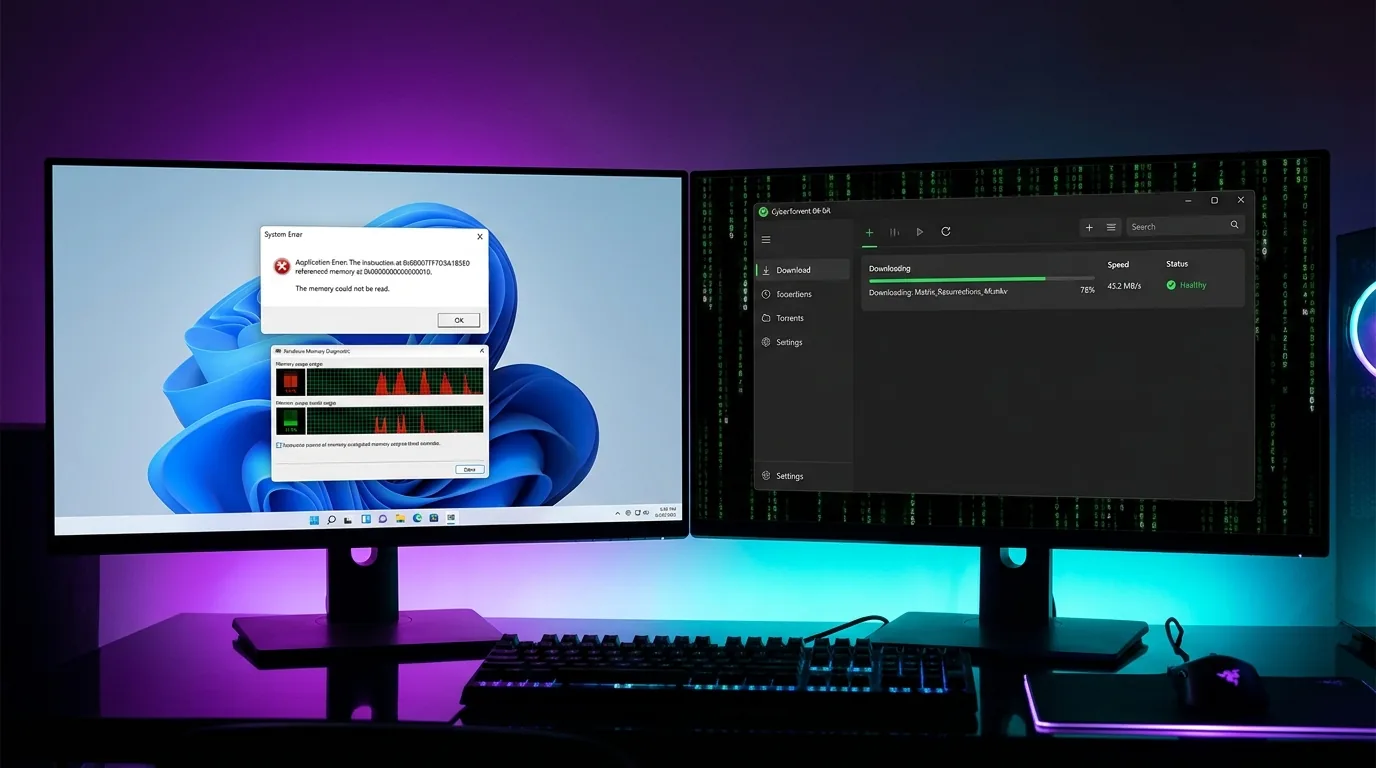
Direct Answer: If uTorrent keeps crashing, freezing at startup, or showing “uTorrent has crashed: unable to generate dump” on Windows 11 or Windows 10, the primary culprit is an architectural mismatch. Classic uTorrent (v3.5/3.6) is an outdated 32-bit application capped at a 2 GB virtual memory ceiling; when downloading large multi-gigabyte files or handling high-speed swarms, it runs out of memory and crashes. Furthermore, Windows 11’s security protocols—specifically Core Isolation (Memory Integrity) and Data Execution Prevention (DEP)—frequently clash with uTorrent’s bundled ad-injection wrappers. You can fix this by clearing corrupted resume.dat files in %AppData%\uTorrent, expanding the manual disk cache, disabling ad offers in advanced preferences, or upgrading to a modern 64-bit client like Vortex Downloader or qBittorrent that natively addresses full system RAM without crashing.
Table of Contents
- Why Does uTorrent Keep Crashing? The Root Causes in Plain English
- The Windows 11 & 10 Factor: Memory Integrity & DEP Clashes
- 7 Step-by-Step Fixes to Stop uTorrent from Crashing & Freezing
- Fixing the “Unable to Generate Dump” & Crash Dump Errors
- Help! “All My Torrents Are Gone After a Crash”: How to Recover Resume Data
- uTorrent (32-Bit) vs Modern 64-Bit Torrent Clients: Stability Benchmark
- Frequently Asked Questions (FAQ)
- Final Verdict: How to Download Torrents Crash-Free in 2026
1. Why Does uTorrent Keep Crashing? The Root Causes in Plain English
Few computing experiences are more infuriating than queuing a massive 60 GB torrent, leaving your computer to download overnight, and waking up to find that uTorrent crashed 15 minutes after you walked away. Even worse, opening the program greets you with a dreaded dialog: “uTorrent has crashed. A crash dump has been saved”—or the client simply disappears from your taskbar with zero warning.
If you’re asking yourself “why does uTorrent keep crashing on my computer?”, the explanation is not your internet connection or your hard drive. The problem lies inside uTorrent’s aging software architecture.
Here are the 4 primary reasons uTorrent crashes, freezes, and locks up on modern operating systems:
A. The 32-Bit Memory Ceiling (2 GB Crash Barrier)
Back in 2005 when uTorrent was first developed by Ludvig Strigeus, it was celebrated as a lightweight, micro-sized executable (often under 1 MB). Over the past twenty years, however, while operating systems transitioned to 64-bit architectures with 16 GB, 32 GB, or 64 GB of high-speed DDR4/DDR5 RAM, uTorrent remained a 32-bit application.
In Windows, a 32-bit user-mode process can address a maximum theoretical ceiling of 2 GB of virtual address space (or 4 GB with custom /LARGEADDRESSAWARE compilation flags). When you download large files—such as modern PC game installations, high-bitrate 4K MKV movies, or uncompressed audio archives—uTorrent must simultaneously hold hundreds of incoming network packets in its disk cache buffer before writing them to storage.
The moment memory utilization hits ~1.8 GB, uTorrent experiences a catastrophic heap allocation failure. Windows cannot assign more RAM to the 32-bit process, and uTorrent terminates instantly with an out-of-memory crash dump.
B. Adware Injectors & WebUI Freezes (“Not Responding”)
Unlike clean open-source software, commercial versions of uTorrent bundle third-party advertisement frameworks, sponsored torrent offer banners, and embedded Chromium WebUI rendering hosts. Every time uTorrent requests an ad banner from remote ad-networks, it performs external network handshakes.
If your DNS resolver is slow, if an ad server goes down, or if your firewall interrupts an ad tracker, the main user interface thread halts. Windows detects that the window is no longer processing message queues and labels the window “uTorrent (Not Responding)”. Force-closing it corrupts the active session state.
C. Corrupted resume.dat Session Files
uTorrent tracks every active download, seed ratio, file chunk verification, and completed piece inside a tiny database file named resume.dat located in your hidden Windows AppData folder. When uTorrent experiences a sudden shutdown, power outage, or memory crash while writing to this file, the file is cut in half.
The next time you launch uTorrent, it attempts to parse the corrupted data structure, encounters a fatal syntax parsing exception, and crashes immediately on startup. This is also why users frequently complain that “all my torrents disappeared after uTorrent crashed”.
D. Aggressive Antivirus File Locking (Avast, AVG & Defender)
Because uTorrent bundles third-party toolbars and monetized sponsor bundles, Microsoft Windows Defender categorizes uTorrent as a Potentially Unwanted Application (PUA:Win32/uTorrent). When uTorrent writes incoming file chunks to disk, your antivirus scanner (whether Defender, Avast, AVG, or Bitdefender) attempts to lock and inspect those temporary blocks at the exact millisecond uTorrent tries to write the next piece.
This race condition generates a Windows 0xC0000005: Access Violation exception, crashing uTorrent instantly.
2. The Windows 11 & 10 Factor: Memory Integrity & DEP Clashes
If you recently upgraded to Windows 11 and noticed that uTorrent went from somewhat unstable to crashing constantly, you are not alone. Community tech forums and Reddit discussions on r/torrents are flooded with reports of uTorrent failing on Windows 11 23H2 and 24H2.
⚠️ Why Windows 11 Restricts Legacy BitTorrent Clients
Windows 11 introduces mandatory hardware-enforced virtualization security known as Core Isolation (Hypervisor-Protected Code Integrity / HVCI) and strictly enforces Data Execution Prevention (DEP). These enterprise-grade security layers prevent programs from executing malicious instructions in non-executable memory regions.
Older 32-bit software written with legacy compilation flags often uses self-modifying code or outdated memory-packing routines for its embedded advertisement widgets. When Windows 11’s kernel detects these outdated memory behaviors, the operating system forcibly terminates the uTorrent process to protect system integrity. This is why uTorrent crashes silently without even being able to write a crash dump file to disk.
3. 7 Step-by-Step Fixes to Stop uTorrent from Crashing & Freezing
If you want to keep using uTorrent without experiencing continuous crashes, work through these proven technical fixes in sequence:
Fix 1: Kill Ghost uTorrent Processes in Task Manager
Often, after uTorrent crashes or is closed, a background helper thread remains frozen in memory. If you try to open uTorrent again, the second process collides with the first process’s locked file handles, crashing immediately.
- Press
Ctrl + Shift + Escto open Windows Task Manager. - Click the Details tab (or Processes tab).
- Scroll down and check if any instances of
uTorrent.exeoruTorrentWeb.exeare running. - Right-click each instance and select End Task.
- Relaunch uTorrent to verify if the startup crash clears.
Fix 2: Reset Corrupted Resume & Settings Data (Fixes Startup Crashes)
If uTorrent crashes the second you click its desktop icon, a corrupted resume.dat file is almost certainly the cause. You can reset it without deleting your already-downloaded files:
- Press
Windows Key + R, type%AppData%\uTorrent, and hit Enter. - Locate two files:
resume.datandsettings.dat. - Right-click
resume.datand rename it toresume.dat.old. - Right-click
settings.datand rename it tosettings.dat.old. - Launch uTorrent. The client will open fresh with default settings and a clean session database, stopping the startup crash loop.
Fix 3: Adjust Disk Cache Settings (Stops Crashes on Large Files)
When downloading files larger than 10 GB at broadband speeds, uTorrent’s default automatic cache management frequently overloads. Setting a dedicated, stable cache ceiling prevents memory overflow crashes:
- Open uTorrent and go to Options ➔ Preferences (or press
Ctrl + P). - In the left sidebar, click Advanced, then click Disk Cache.
- Check the box for “Override automatic cache size and specify the size manually”.
- Enter
1024MB (if your PC has 8 GB+ RAM) or1500MB (if you have 16 GB+ RAM). - Critical Rule: Do not enter a number higher than
1800MB. Because uTorrent is a 32-bit application, entering 2048 MB or higher will cause an immediate memory allocation crash! - Check “Enable caching of disk writes” and “Write out finished pieces immediately” to prevent backlog stalls.
- Click Apply and OK.
Fix 4: Disable Ad-Injectors & Upsell Popups (Stops UI Freezing)
Disabling the internal advertisement banners removes the background network calls that cause uTorrent to freeze and say “Not Responding”:
- Open Options ➔ Preferences ➔ Advanced.
- In the Filter search box, type
offers. - Locate the following parameters and toggle their values to False:
offers.left_rail_offer_enabled➔ Falseoffers.sponsored_torrent_offer_enabled➔ Falseoffers.content_offer_autoexec➔ False
- Now type
gui.show_plusin the Filter box and setgui.show_plus_upsellto False. - Click OK and restart uTorrent. The app will launch with a clean interface that no longer freezes waiting for ad networks.
Fix 5: Whitelist uTorrent in Windows Defender & Antivirus (Fixes Avast Clashes)
If third-party antivirus utilities (such as Avast, AVG, or McAfee) or Windows Defender are locking torrent chunks during download writes:
- Open Windows Security from your Start Menu.
- Click Virus & threat protection ➔ Manage settings.
- Scroll down to Exclusions and click “Add or remove exclusions”.
- Click Add an exclusion, select Folder, and choose your active torrent download directory (e.g.,
D:\Downloads). - Add a second exclusion for the program folder:
%AppData%\uTorrent. - If using Avast or AVG, navigate to Avast Settings ➔ Exceptions and add the same folders. This prevents antivirus file scanners from fighting uTorrent for file handles.
Fix 6: Run in Windows 8 Compatibility Mode as Administrator
If Windows 11 continues enforcing strict security teardowns on uTorrent’s executable:
- Right-click your uTorrent desktop shortcut and select Properties.
- Navigate to the Compatibility tab.
- Check “Run this program in compatibility mode for:” and select Windows 8.
- Under Settings, check “Run this program as an administrator”.
- Click Apply and OK. This instructs Windows 11 to grant legacy privilege handling to the process.
Fix 7: Check Windows Event Viewer for Faulting Modules
If uTorrent crashes silently without generating a crash log, Windows records the exact cause in the system event log:
- Press
Windows Key + Xand click Event Viewer. - Expand Windows Logs ➔ Application.
- Look for an Error event where the Source is “Application Error” and the Faulting Application Name is
uTorrent.exe. - Check the Faulting module name:
- If it says
ntdll.dllorkernel32.dll: Windows terminated uTorrent due to a memory overflow or DEP violation. - If it mentions an antivirus DLL (such as
aswhook.dllfrom Avast): Your antivirus software caused the crash. - If it mentions
uTorrent.exewith exception code0xc0000005: An invalid memory read occurred.
- If it says
4. Fixing the “Unable to Generate Dump” & Crash Dump Errors
One of the most common user queries is: “uTorrent has crashed. It says unable to generate crash dump. What does this mean?”
When an application crashes in Windows, it normally calls a mini-dump generation API (like MiniDumpWriteDump) to write a .dmp file to your disk so developers can analyze the stack trace. However, when uTorrent crashes due to a complete out-of-memory exhaustion or an abrupt kernel termination by Windows 11 Core Isolation, there is no virtual memory remaining to even allocate the mini-dump buffer!
To eliminate this error permanently:
- Delete the accumulated dump logs in
%AppData%\uTorrent\crashdumps. If this folder is clogged with hundreds of megabytes of old dump files, uTorrent will fail when trying to create new ones. - Ensure your C: drive has at least 5 GB of free disk space for Windows pagefile virtual memory expansion.
- If you are running uTorrent Web, clear your browser’s local cache and cookies, or disable hardware acceleration in your web browser.
5. Help! “All My Torrents Are Gone After a Crash”: How to Recover Resume Data
When uTorrent crashes hard, users frequently panic because their entire download list is completely empty upon restart. Do not worry—your downloaded files on disk are safe! Here is how to restore your lost torrent queue in under 60 seconds:
- Make sure uTorrent is completely closed (check Task Manager to ensure no background
uTorrent.exeis running). - Press
Windows Key + R, paste%AppData%\uTorrent, and press Enter. - In this folder, you will see your active
resume.datfile alongside a backup namedresume.dat.old(orresume.dat.bak). - Right-click the broken
resume.datand delete it (or move it to your desktop). - Right-click
resume.dat.oldand rename it toresume.dat. - Launch uTorrent. Your entire torrent queue—including all download progress, seeding files, and tracker links—will be restored!
- If any torrents show an error status, right-click them and select “Force Re-check”. uTorrent will verify the integrity of the downloaded byte blocks on your disk and resume right where you left off.
For more detailed step-by-step guidance on organizing large multi-file torrent downloads, read our companion guide on how to download specific files from a torrent without wasting bandwidth.
6. uTorrent (32-Bit) vs Modern 64-Bit Torrent Clients: Stability Benchmark
While the fixes above can keep uTorrent running on life support, the fundamental truth in 2026 is that classic uTorrent is obsolete software designed for a 32-bit computing era that ended a decade ago.
Modern download accelerators and torrent engines—such as Vortex Downloader and qBittorrent—are built natively for 64-bit Windows 11 and Windows 10 architectures. Here is how uTorrent compares to modern torrent clients:
For an in-depth technical comparison of open-source and modern P2P engines, check out our guide on Vortex vs qBittorrent: The Ultimate 2026 Torrent Comparison.
7. Frequently Asked Questions (FAQ)
Why does uTorrent keep crashing on Windows 11?
uTorrent keeps crashing on Windows 11 primarily because it is built on an aging 32-bit architecture that collides with Windows 11’s strict security features, such as Core Isolation (Memory Integrity/HVCI) and Data Execution Prevention (DEP). Additionally, 32-bit applications are hard-capped at 2 GB of virtual address space; downloading large 50GB+ torrents or connecting to hundreds of simultaneous peer connections rapidly exhausts this memory ceiling, triggering sudden crashes and “uTorrent has crashed: unable to generate dump” errors.
Why does uTorrent crash when downloading large files?
When downloading massive files (such as 4K video remuxes, ISO images, or modern PC games), uTorrent must buffer hundreds of incoming disk pieces in RAM before writing them sequentially to your hard drive or SSD. Because classic uTorrent is a 32-bit process, it cannot address more than 2 GB of RAM. Once disk write queues exceed this ceiling, the process crashes with a memory allocation failure.
Why does uTorrent keep freezing or showing ‘Not Responding’?
uTorrent freezes and shows ‘Not Responding’ when its integrated advertising injectors and WebUI rendering engines lock up the main application thread. Legacy uTorrent versions bundle third-party ad frameworks that make unthrottled HTTP requests to external ad servers. If an ad tracker is blocked by your firewall or experiences a slow handshake, the entire uTorrent interface freezes.
Is uTorrent safe to use in 2026?
Modern cybersecurity experts generally advise against using classic uTorrent in 2026. The installer bundles aggressive adware and offers potentially unwanted programs (PUPs), and Windows Defender frequently flags it as PUA:Win32/uTorrent. Modern open-source and clean alternatives like Vortex Downloader and qBittorrent offer superior speed, zero adware, full 64-bit stability, and native post-download antivirus verification.
Why are all my torrents gone after uTorrent crashes?
When uTorrent crashes mid-download, it fails to execute a clean exit routine, which corrupts the resume.dat file storing your active download list. To recover them, navigate to %AppData%\uTorrent, locate resume.dat.old or resume.dat.bak, delete the corrupt resume.dat, and rename the backup file to resume.dat. uTorrent will reload your torrent queue on the next launch.
Does Avast or Windows Defender cause uTorrent to crash?
Yes. Third-party antivirus suites like Avast and AVG, as well as Windows Defender, often lock uTorrent’s executable or quarantine its bundled sponsor libraries in real time while torrent pieces are being assembled. When uTorrent attempts to read or write a file handle that an antivirus engine has locked, the client encounters an access violation (0xC0000005) and terminates abruptly.
Why does uTorrent Web crash in my web browser?
uTorrent Web relies on a local background daemon that communicates with a browser-based frontend. If your browser’s ad-blocker or brave shields block localhost WebSocket communication, or if the background helper service runs out of memory while streaming video, the browser tab disconnects and reports that uTorrent Web is not responding.
Is uTorrent or qBittorrent faster?
qBittorrent and modern clients like Vortex Downloader are significantly faster than uTorrent on modern Windows systems. Because they run as native 64-bit applications with libtorrent v2 backend support, they utilize modern multithreaded asynchronous disk I/O, handle 10x more peer connections simultaneously, and do not waste CPU cycles rendering in-app advertisements.
8. Final Verdict: How to Download Torrents Crash-Free in 2026
Troubleshooting uTorrent in 2026 is like trying to keep a 20-year-old car running with duct tape. While resetting your resume.dat file, tweaking DEP flags, and capping disk cache size to 1024 MB will temporarily resolve immediate crashes, the client will inevitably crash again the next time you push your gigabit bandwidth or download massive archives.
For modern Windows 11 and Windows 10 power users, the permanent solution is upgrading to a clean, 64-bit download workstation designed for high-throughput networks.
Experience 100% Crash-Free 64-Bit Downloads
Switch to Vortex Downloader: Native 64-bit memory management, 32-stream multi-threaded acceleration, built-in BitTorrent engine, and zero adware. Certified 0/58 clean on VirusTotal.
![Why IDM Freezes or Gets Stuck at 99% (And How to Fix It) [2026 Guide]](https://vortexdownloader.org/wp-content/uploads/2026/10/why-idm-freezes-at-99-fixes-1024x572.webp)