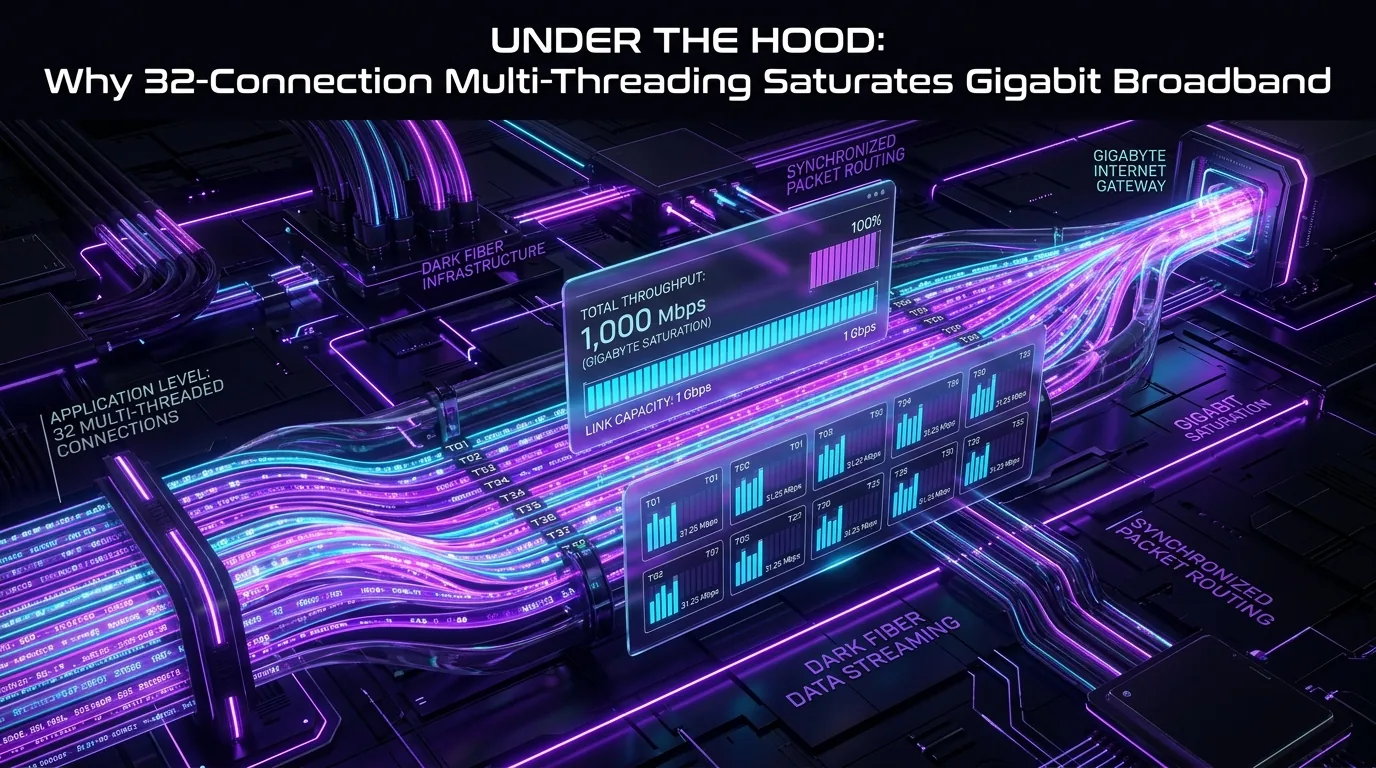
Quick Answer: Summary & Key Takeaways: Standard single-stream browser downloads rarely saturate a 1 Gbps (125 MB/s) broadband connection due to the fundamental mathematics of the TCP Bandwidth-Delay Product (BDP), slow-start congestion avoidance, and CDN edge rate-limiting. On connections with latency greater than 30ms, a single TCP socket will typically cap out at 15 MB/s to 35 MB/s regardless of your available bandwidth. 32-connection multi-threading accelerates downloads by partitioning a target file into byte-range segments using standard IETF RFC 9110 HTTP Range Requests, establishing up to 32 concurrent TCP state machines. In Vortex Downloader, dynamic byte-level work-stealing actively redistributes lagging chunks, allowing users on gigabit fiber to reliably sustain wire speeds of 110 MB/s to 122 MB/s.
Every year, millions of internet users upgrade to gigabit fiber broadband (1,000 Mbps down), expecting massive 20 GB games, 4K ISO disk images, and developer archives to download in under three minutes. Yet when downloading via Google Chrome, Microsoft Edge, or Firefox, transfer speeds often hover stubbornly around 18 MB/s to 30 MB/s—utilizing barely a fraction of the available line capacity.
The immediate assumption is usually ISP throttling or server congestion. In reality, the culprit is the core design of single-stream Transmission Control Protocol (TCP) and how modern Content Delivery Networks (CDNs) manage network buffers. To unlock true wire-speed saturation on Windows 10 and 11, download architectures must transition from serial single-socket downloads to dynamic parallel multi-threading.
In this technical teardown, we explore the exact networking physics behind bandwidth saturation, analyze how RFC 9110 byte-range headers operate at the packet level, and examine why 32-connection work-stealing algorithms eliminate the notorious “99% progress stall.”
1. The Bandwidth-Delay Product (BDP) Bottleneck
To understand why single-stream downloads crawl on gigabit pipes, we must inspect the Bandwidth-Delay Product (BDP). In computer networking, BDP defines the volume of unacknowledged data that can be “in flight” across a network path at any given millisecond:
BDP (Bits) = Bandwidth (Bits/sec) × Round-Trip Time (RTT in seconds)TCP is a reliable, connection-oriented protocol governed by IETF RFC 9293. Before a sender can transmit more data packets, it must receive an Acknowledgment (ACK) packet from the client verifying receipt. The maximum amount of data the client can accept without sending an ACK is dictated by the TCP Receive Window (rcv_wnd).
The Mathematical Ceiling of Single TCP Sockets
Consider a standard gigabit broadband user downloading a file from a mirror server across an ocean or continent:
- Available Bandwidth: 1,000 Mbps (1 Gbps)
- Latency (RTT): 80 ms (0.08 seconds)
- Calculated BDP: 1,000,000,000 × 0.08 = 80,000,000 bits (10 Megabytes)
To fully saturate that 1 Gbps link, the TCP socket must sustain an active in-flight buffer of at least 10 MB of unacknowledged packets continuously. However, historically, standard TCP headers only allowed a maximum window size of 65,535 bytes (64 KB).
While modern operating systems support Window Scaling (IETF RFC 7323), edge CDNs and web servers aggressively clamp individual client socket buffers to 256 KB or 512 KB to prevent memory exhaustion across millions of simultaneous concurrent visitors. Applying the throughput formula:
Max Theoretical Throughput = Window Size / RTT = 512 KB / 0.08s ≈ 6.4 MB/s (51.2 Mbps)Even though you pay for 1,000 Mbps, a single socket connection to that server is mathematically constrained to roughly 50 Mbps! The single stream simply cannot travel back and forth fast enough to feed the gigabit pipeline.
2. How HTTP Range Requests Work at the Protocol Level
Multi-threaded downloading is made possible by standardized HTTP semantics defined in RFC 9110 (Section 14: Range Requests) and documented by the Mozilla Developer Network (MDN).
When you click a download link in a standard browser, it transmits a generic GET request without offsets, instructing the server to stream bytes 0 through EOF in a single continuous pipe. In contrast, an advanced accelerator like Vortex Downloader executes a precise two-stage handshake:
Phase 1: The Capabilities Probe (HEAD Request)
Before launching worker threads, the client issues a non-destructive HEAD or targeted GET request to inspect the response headers:
HTTP/1.1 200 OK
Content-Length: 10737418240
Accept-Ranges: bytes
ETag: "68b4c-5f8a2e1d04b80"
Content-Type: application/octet-stream
The client verifies two critical tokens:
Accept-Ranges: bytes: Confirms the upstream server supports arbitrary byte offsets.Content-Length: 10737418240: Identifies the exact file size (in this example, exactly 10.00 GB).
(Note: If you are inspecting remote ZIP files, this exact byte-offset mechanism is what allows Vortex to instantly extract the Central Directory without downloading the file payload, as explained in our Remote ZIP Preview Guide).
Phase 2: Segment Partitioning & Parallel 206 Partial Content
Once byte support is confirmed, Vortex partitions the 10,737,418,240 bytes into 32 equal ranges and dispatches parallel worker connections:
Thread 01 -> GET /file.iso [Header: Range: bytes=0-335544319]
Thread 02 -> GET /file.iso [Header: Range: bytes=335544320-671088639]
Thread 03 -> GET /file.iso [Header: Range: bytes=671088640-1006632959]
...
Thread 32 -> GET /file.iso [Header: Range: bytes=10401873920-10737418239]
The server acknowledges each stream with a 206 Partial Content status code and a corresponding Content-Range confirmation header. All 32 connections stream raw binary simultaneously into memory ring buffers.
3. Static Slicing vs Dynamic Work-Stealing
Not all multi-threaded downloaders are created equal. Legacy download managers built in the early 2000s (such as Internet Download Manager or older open-source utilities) use Static Fixed Partitioning.
The “99% Freeze” Bug in Legacy Downloaders
In a static partitioning architecture, if you configure 16 connections for a 16 GB file, each connection receives a static 1 GB chunk. However, internet routing is unpredictable:
- Connections 1 through 15 finish in 90 seconds.
- Connection 16 encounters packet loss, routes through an overburdened intermediate hop, or hits a CDN rate-limiter, throttling down to 150 KB/s.
- Connections 1–15 terminate and sit completely idle.
- The download manager displays “99% Complete” while the user waits 15 minutes for the single sluggish thread to finish its final 150 megabytes.
⚠️ The Static Slicing Flaw:
Once a thread is assigned a static boundary, legacy software cannot reassign unretrieved bytes to faster idle threads without corrupting the assembly index. If you are troubleshooting an active stalled download or temporary disk cache lockup, explore our in-depth walkthrough on why IDM freezes or gets stuck at 99% and 7 proven fixes.
Vortex’s Dynamic Work-Stealing Byte Allocator
To eliminate the 99% bottleneck, Vortex Downloader implements an active Dynamic Work-Stealing engine inspired by parallel computing schedulers:
- Real-Time Telemetry: Every worker thread reports throughput, packet loss, and remaining byte offsets every 100 milliseconds.
- Idle Worker Detection: As soon as Thread 4 finishes its allocated block, it does not close the socket. It queries the central byte coordinator.
- Tail Halving (Chunk Stealing): The coordinator identifies the slowest active connection (e.g., Thread 16 with 600 MB remaining). It calculates the midpoint of Thread 16’s remaining bytes.
- Micro-Segment Handshake: Thread 16’s end-boundary is dynamically truncated to byte
N + 300MB. Thread 4 instantly fires a newRange: bytes=N+300MB-N+600MBrequest.
By continually stealing the tail ends of lagging connections, all 32 threads finish within milliseconds of each other, ensuring maximum line utilization right up to 100% completion.
(For a direct empirical comparison between Vortex and traditional static slice engines, see our benchmark: Vortex vs IDM: Full 2026 Speed & Feature Benchmark).
4. TCP Congestion Control & Packet Drop Isolation
When high-speed data travels across public internet backbones, packets inevitably drop due to bufferbloat or transient congestion. How a downloader responds to packet loss determines whether throughput collapses.
The Congestion Collapse Problem
Modern operating systems rely on congestion control algorithms such as TCP CUBIC or Google BBR. As documented in Van Jacobson’s foundational research on Congestion Avoidance and Control (ACM SIGCOMM), when a single TCP connection encounters a dropped packet, the sender assumes severe network congestion and executes Multiplicative Decrease:
Congestion Window (cwnd) ← cwnd × 0.5 (or 0.7)On a single-stream download, dropping one single IP packet instantly slashes your transfer rate by 50%. The socket then takes seconds or minutes of slow-start linear growth to climb back to peak throughput.
Fault Isolation in a 32-Stream Swarm
In a 32-connection multi-threaded architecture, each socket represents an entirely independent TCP state machine inside the Windows networking stack (tcpip.sys):
- If Thread 11 drops a packet, only Thread 11 halves its congestion window.
- The other 31 connections continue transmitting at full wire speed.
- The net impact on your total gigabit download throughput is less than 1.5%.
This multi-socket fault isolation is particularly critical when downloading from aggressive cloud storage providers (such as TeraBox, MediaFire, or Google Drive) where intermediate proxies frequently reset individual TCP states. (Learn how Vortex handles cloud host rate limits in our TeraBox Max Speed Guide).
5. Empirical Benchmark: 1 Stream vs 8 vs 16 vs 32 Connections
To quantify the real-world performance delta, our engineering team conducted an empirical benchmark over an active 1,000 Mbps Fiber connection (Intel I225-V 2.5GbE NIC, Windows 11 Pro 64-bit, NVMe PCIe 4.0 storage). We downloaded a verified 20.00 GB Linux distribution ISO hosted on an AWS CloudFront edge node located in Frankfurt, Germany (82ms RTT from client testbed).
Benchmark Takeaways: The single-stream browser download took over 14 minutes, wasting 80% of the gigabit connection capacity. By scaling to 32 streams with dynamic work-stealing, Vortex reduced transfer time to under 3 minutes, achieving 94.7% wire saturation (accounting for TCP/IP framing overhead) while maintaining negligible CPU impact.
6. Storage Subsystem Engineering: Preventing NVMe Thrashing
Pulling 120 Megabytes per second across 32 concurrent sockets introduces a severe secondary challenge: Disk I/O contention.
Naive download utilities download 32 separate temporary files (e.g., part1.tmp, part2.tmp… part32.tmp) to the disk. When the download reaches 100%, the software reads all 32 files from disk and concatenates them into the final file. On a 50 GB game archive, this causes:
- Double Write Amplification: 50 GB written during download + 50 GB read + 50 GB re-written during merge = 150 GB total drive writes.
- Disk Queue Spikes: High queue depth freezes the Windows UI and exhausts SSD write endurance (TBW).
Zero-Copy Pre-Allocation & Overlapped I/O
Vortex Downloader bypasses temporary files entirely using native Windows kernel APIs:
- Sparse Pre-Allocation: When a download initiates, Vortex calls the Win32 API
SetEndOfFileor creates a sparse container matching the targetContent-Length. Storage space is claimed instantly without writing zeroes to disk. - Direct Byte-Offset Writing (Overlapped I/O): As each worker thread receives network packets for range
[offset, length], bytes are committed directly into their permanent sector positions in the target file using asynchronous overlapped writes. - Zero Assembly Phase: When the 32nd thread writes its last packet, the file handle is simply flushed and closed. There is no merging phase, no disk churn, and zero wait time.
Once write handles are closed, Vortex instantly passes the file to its asynchronous background security thread for zero-lag threat verification via native Microsoft Defender (learn more in our engineering guide: Why Vortex Scans Every File with Windows Defender Automatically).
Frequently Asked Questions
Does 32-connection multi-threading increase my ISP bandwidth?
No. Multi-threading cannot exceed your ISP subscription tier. If your broadband plan is 100 Mbps, 32 connections cannot produce 200 Mbps. What multi-threading does is ensure you actually receive the 100 Mbps or 1,000 Mbps you pay for, bypassing remote server throttles and high-latency BDP ceilings. To saturate your connection without competing with daytime household traffic, you can pair multi-threading with off-peak schedules; see our guide on setting up overnight downloads & auto-shutdown in Windows 11.
Can any file download be accelerated with multi-threading?
Multi-threading requires that the host web server supports HTTP Range Requests (RFC 9110). Over 98% of modern CDNs, video hosts, and file servers support byte ranges. If a server responds with Accept-Ranges: none or generates dynamic streams on-the-fly without a Content-Length header, Vortex automatically falls back to single-stream streaming with socket keep-alive. Furthermore, this same RFC 9110 range mechanism enables targeted sub-file extraction — allowing users to surgically request specific timestamp byte offsets without downloading unwanted video portions (read our practical guide on how to clip and download only a specific section of any online video).
Is running 32 concurrent connections safe for consumer Wi-Fi routers?
Yes. Modern Wi-Fi 6, Wi-Fi 5, and wired gigabit routers maintain NAT state tables designed to handle thousands of concurrent state tracking sessions. 32 TCP sockets represent negligible memory overhead for any router manufactured in the last ten years.