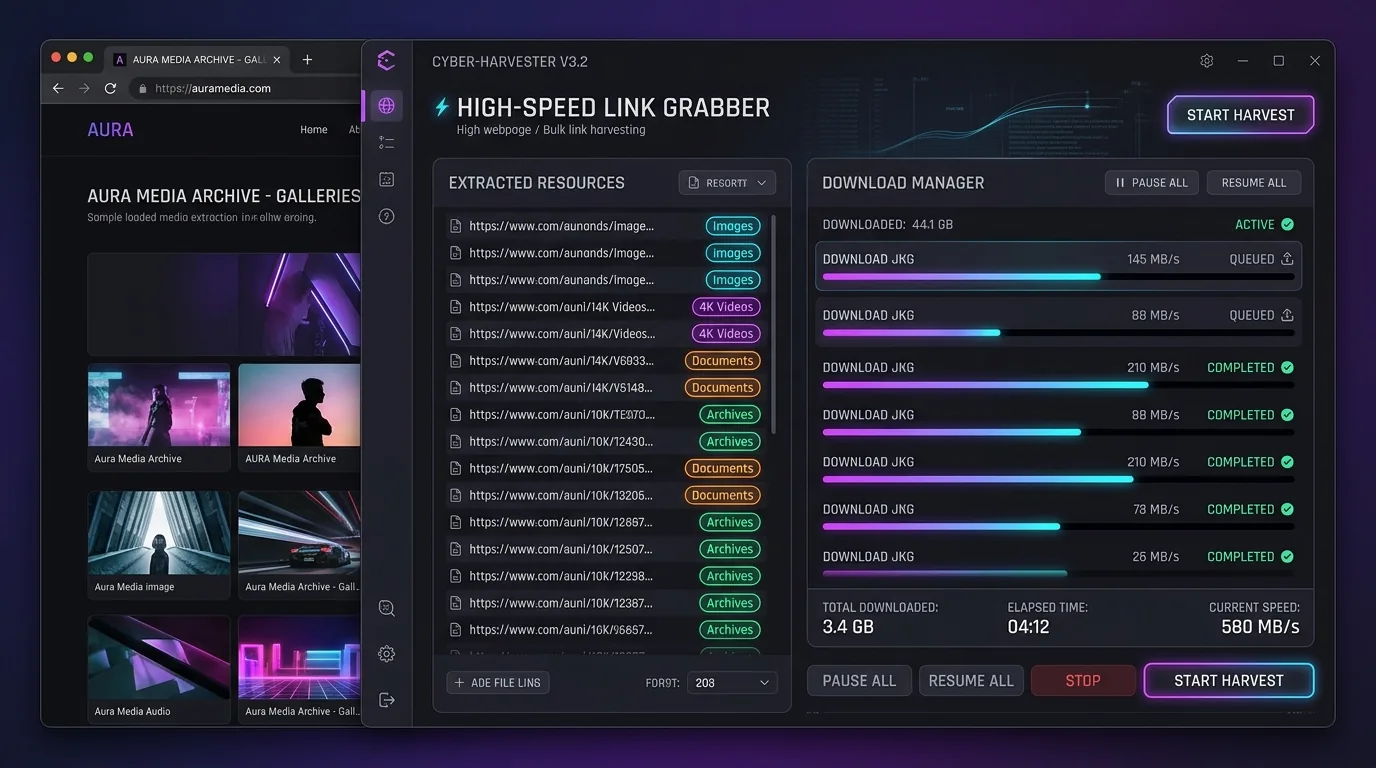
To batch extract all links, high-resolution images, videos, and documents from any webpage simultaneously, install the official Vortex Companion Extension for Chrome or Firefox. Navigate to your target webpage, right-click, and select “Download All Links with Vortex” (or click the floating action blob). The extension parses the live client-side DOM, extracts all anchor <a href>, media <source>, and srcset attributes, and categorizes assets into dedicated filter tabs (Images, Videos, Documents, Archives). Once selected, the entire batch queue is dispatched via Native Messaging Host IPC to the native Vortex Downloader desktop engine, which accelerates every file concurrently across up to 32 parallel TCP streams with automatic folder routing and post-download antivirus verification.
Table of Contents
- The Manual Download Nightmare: Why Right-Click “Save As” Fails at Scale
- Under the Hood: How Link Harvesters Inspect the DOM & Network Requests
- Step-by-Step Guide: How to Batch Extract All Links from Any Webpage with Vortex
- Advanced Filtering & Regex: Extracting High-Res Assets vs Thumbnails
- Comparison Matrix: Vortex vs Legacy Chrome Extensions vs Python Scripts
- Cybersecurity & Clickjacking Defense in Mass Link Harvesting
- Frequently Asked Questions (FAQ)
- Final Verdict & Recommended Setup
How to Download from Multiple Links at Once on Windows 11 & 10 (3 Batch Methods)
To download from multiple links at once on Windows 10 and 11 without clicking each file manually, use a batch URL downloader with clipboard monitoring and DOM link scraping. Vortex Downloader captures entire link lists simultaneously, accelerating transfers across 3 free parallel streams or 32 Pro turbo connections.
| Batch Download Method | Best Use Case | Max Simultaneous Links | Extension & Resolution Filtering | Vortex Edition Required |
|---|---|---|---|---|
| 1. Multi-URL Clipboard Auto-Grabber | Pasting a list of 10–500 direct URLs, mirrors, or magnet links from a text file or pastebin. | Unlimited Queue | Auto-detects HTTP, Cloud (TeraBox/PixelDrain), Video & Magnet URIs | Vortex Basic (100% Free • 3 Streams/File) |
| 2. Webpage Right-Click Batch Grabber | Extracting all .zip, .iso, .pdf, or media files embedded on a single web directory page. | All Page DOM Links | 1-Click Extension Filter (.zip, .iso, .mp4, .flac, .apk) | Vortex Basic (Free) & Pro (32 Streams/File) |
| 3. Playlist & Channel Batch Queue | Downloading full YouTube playlists, creator channels, or multi-file cloud folders. | Up to 1,800+ Sites | Quality Preset (1080p Free / 4K & 8K 60FPS HDR Pro) + Subfolders | Basic (1080p) / Pro (8K + Auto-Monitor) |
Step-by-Step: Downloading a List of Multiple URLs Simultaneously
- Copy Your Multi-Line URL List: Highlight any list of direct file links, PixelDrain or MediaFire mirrors, TeraBox cloud shares, or video URLs and press Ctrl + C.
- Review the Instant Batch Parse Table: Vortex’s background clipboard watcher parses every newline-separated URL automatically, probes the remote HTTP headers for exact file sizes, and groups them by file extension.
- Filter by File Type & Smart Folder Route: Check the extensions you want to keep (such as
.zip,.iso, or.mkv). Vortex’s Smart Organization engine automatically routes archives, videos, and installers into dedicated drive directories. - Launch Parallel Multi-Threaded Acceleration: Click Download All. The Free Basic Edition accelerates active jobs using up to 3 parallel TCP connections per file, while Vortex Pro (including the 7-day free trial) opens up to 32 dynamic work-stealing connections for maximum gigabit throughput.
1. The Manual Download Nightmare: Why Right-Click “Save As” Fails at Scale
Every digital researcher, software developer, media archivist, and creative professional has encountered the agonizing friction of manual asset downloading. You navigate to a research portal with 60 PDF whitepapers, an online photography gallery with 150 high-resolution TIFF images, or a course syllabus containing dozens of lecture recordings. Using your browser’s default right-click “Save link as…” workflow turns into a grueling test of endurance:
- Repetitive Strain & Lost Hours: Manually clicking 80 links, navigating directory modals, and hitting “Save” on each file burns 30 to 45 minutes of productive time.
- Browser Tab Crashes & Memory Leaks: Opening dozens of links in separate browser tabs to initiate concurrent downloads rapidly exhausts system RAM, triggering Chromium renderer crashes and broken download handshakes.
- Generic, Mangled Filenames: Dynamic server endpoints often deliver assets named
download.php?id=89231or generic UUIDs, forcing you to manually rename dozens of files. - Session Cookie Expiration: When downloading across authenticated portals or paid memberships, slow manual clicking often hits session timeouts, leading to frustrating
HTTP 401 UnauthorizedorHTTP 403 Forbiddenerrors midway through your list. - Single-Thread Speed Throttling: Default browser download managers download each file through a single static TCP stream. If the remote host throttles single-stream connections to 2 MB/s, downloading a 10 GB asset library takes hours instead of minutes.
Automated batch link extraction solves this bottleneck entirely. Instead of treating links as isolated manual tasks, an intelligent webpage harvester inspects the underlying web architecture, extracts all target resources in a fraction of a second, and dispatches them to a multi-threaded desktop queue.
2. Under the Hood: How Link Harvesters Inspect the DOM & Network Requests
Extracting links from a modern web page is vastly more complex than simply parsing static HTML. In 2026, the vast majority of web platforms are rendered dynamically using client-side JavaScript frameworks (React, Next.js, Vue, Angular) and encapsulated inside Shadow DOM subtrees. To extract every link reliably, a modern harvester combines two complementary technical layers:
A. Client-Side DOM Tree Traversal
When you trigger the grabber, the extension injects a lightweight content script that traverses the live W3C Document Object Model (DOM). It scans multiple tag hierarchies simultaneously:
<a href="...">: Extracts direct hyperlinks to documents, software binaries (.exe,.zip,.tar.gz), and media files.<img src="..." srcset="...">: Parses responsive image sets, identifying the highest-resolution candidate from the comma-separatedsrcsetdescriptors (e.g., extracting the2048wor4Kimage candidate while discarding mobile thumbnails).<video>and<source src="...">: Uncovers direct MP4, WebM, and MKV video container URLs embedded in HTML5 players.<iframe data-src="...">: Resolves lazy-loaded embed URLs and nested player wrappers.
Crucially, relative URLs (such as /assets/report.pdf or ../../files/data.csv) are resolved into fully qualified, canonical absolute URLs conforming to IETF RFC 3986 (URI Specification) against the document’s base URI.
B. Network Request Sniffing via declarativeNetRequest
Modern video streaming and dynamic cloud storage hosts do not expose direct media URLs inside the static DOM. Instead, media segments (such as HLS .m3u8 master playlists or MPEG-DASH .mpd manifests) are requested dynamically in the background via asynchronous fetch() or XMLHttpRequest calls.
The Vortex Chrome Extension and Firefox AMO Companion leverage the modern MDN WebExtensions declarativeNetRequest API to monitor mime-types and streaming headers in flight. When a media stream handshakes with your browser, Vortex captures the manifest URL, sniffs available bitrate variants (from 1080p up to 8K HDR 60fps), and makes it available in the grabber modal alongside standard static links.
urllib or requests) is that they lack your browser’s login session. Vortex’s browser companion captures the active session’s Cookie, User-Agent, and Referer headers and securely forwards them via Native Messaging Host IPC to the desktop client. You can batch download private documents, member-only video archives, and intranet portals without being redirected to login walls.3. Step-by-Step Guide: How to Batch Extract All Links from Any Webpage with Vortex
Follow this tutorial to extract and download dozens or hundreds of files from any webpage in less than 60 seconds:
Step 1: Install the Official Vortex Companion Extension
Ensure you have both the native desktop application and the browser companion installed:
- Install the native 64-bit desktop engine: Vortex Downloader for Windows (or run
winget install vortexin PowerShell). - Add the browser companion from your official store:
- Chrome, Brave, Edge, Opera: Chrome Web Store — Vortex Downloader
- Mozilla Firefox: Firefox Add-ons (AMO) — Vortex Downloader
- When prompted, grant extension permissions for web access. The extension will automatically establish a secure IPC handshake with the desktop engine.
Step 2: Navigate to Target Page & Launch the Batch Grabber
Navigate to any webpage containing multiple files, photo galleries, PDF repositories, or video streams. You can launch the Batch Webpage Grabber through three convenient triggers:
- Right-Click Context Menu: Right-click anywhere on the page and select “Download All Links with Vortex”.
- Toolbar Action Icon: Click the purple Vortex icon in your browser toolbar and click “Extract Webpage Links”.
- Floating Blob Trigger: If enabled in Extension Settings, click the floating cyber-kinetic action button docked at the bottom-right of your screen.
Step 3: Filter Assets by File Category or Regex Pattern
The Vortex Link Grabber window will pop up, displaying a complete catalog of every harvested link on the page, grouped into categorized filter tabs:
Click any category pill to filter the list instantly. For custom filtering, type an extension or keyword into the search bar (e.g., *.pdf, 1080p, or invoice_*).
Step 4: Configure Smart Subfolder Routing and Queue Priorities
Before initiating downloads, you can customize how Vortex organizes the incoming batch:
- Smart Category Routing: By default, Vortex routes images to
Downloads/Pictures/, video files toDownloads/Videos/, and documents toDownloads/Documents/. You can customize these target paths or save the entire batch into a dedicated project folder. - Concurrency Management: Choose whether to download all files simultaneously or cap active downloads (e.g., 5 files at a time) to prevent aggressive web servers from issuing temporary IP blocks.
Step 5: Execute Turbo Parallel Download Across 32 Connections
Click “Download Selected”. The browser extension hands off the job queue to the desktop engine. Vortex immediately begins downloading your files:
- Large files (videos, zip archives, high-res ISOs) are accelerated using up to 32 parallel dynamic TCP connections via RFC 9110 HTTP Range byte slicing.
- If your connection hiccups, Vortex’s crash-proof auto-resume picks up right where it left off.
- Upon completion, every file is automatically verified by Windows Defender CLI to ensure zero malware risk.
4. Advanced Filtering & Regex: Extracting High-Res Assets vs Thumbnails
One of the most common pitfalls of primitive “Download All” browser extensions is that they blindly download every tiny tracking pixel, navigation icon, and 64×64 thumbnail alongside actual content. Vortex provides advanced filtering controls to ensure surgical extraction:
A. Minimum File Size & Dimension Thresholds
In the Grabber filtering bar, toggle the Dimension Threshold filter:
- Set
Min Width: 1200pxandMin Height: 800px: This filters out site favicons, social icons, avatar thumbnails, and interface graphics, leaving only high-resolution wallpaper and photography files. - Set
Min File Size: 100 KB: Immediately eliminates 1-pixel tracking gifs and spacer assets.
B. Regex Masking for Complex URL Schemes
Media hosting platforms often store image URLs using predictable URL schemas where the original file differs by a single prefix or suffix. In the search box, enter regular expression filters:
.*(full|orig|2048|4k|raw)\.(jpg|png|webp|avif)$// Exclude thumbnails, avatars, and icons:
^(?!.*(thumb|avatar|icon|preview|small)).*$C. Remote Central Directory Pre-Inspection for ZIP Files
If the webpage contains links to multi-gigabyte ZIP or RAR archives, you don’t even need to download the full archive to inspect what’s inside. Vortex includes a built-in Remote ZIP Central Directory Inspector that reads only the trailing metadata bytes of remote archives over HTTP Range headers, allowing you to selectively extract individual sub-files before downloading the entire archive.
5. Comparison Matrix: Vortex vs Legacy Chrome Extensions vs Python Scripts
To understand the performance and security advantages of modern desktop-assisted link extraction, examine this side-by-side benchmark:
| Feature / Metric | Vortex Downloader + Companion | Legacy Chrome Extensions (Chrono, Tab Save) | Python CLI Scrapers (BeautifulSoup / Wget) |
|---|---|---|---|
| Max Acceleration Streams | ⚡ 32 Parallel Dynamic Streams | 1 Single Browser Stream | 1 Stream (unless custom multi-proc) |
| Client-Side JS & Shadow DOM | ✅ Full In-Page Live Extraction | ✅ Supported | ❌ Fails without Selenium/Playwright |
| Session Cookie Pass-Through | ✅ Native Messaging Host Bridge | ✅ Supported | ❌ Requires manual cookie export |
| 8K Video & HLS Stream Sniffer | ✅ 1,800+ sites with yt-dlp core | ❌ Fails on blob/m3u8 streams | ⚠️ Requires yt-dlp binary piping |
| Browser Memory Overhead | Near Zero (Handed off to Desktop) | High (Freezes Chrome tabs) | Low (Headless CLI) |
| Automated Antivirus Scanning | ✅ Windows Defender CLI (Automatic) | ❌ None (Relies on basic SmartScreen) | ❌ None |
| Crash-Proof Byte Auto-Resume | ✅ RFC 9110 Range Header Tracking | ⚠️ Often restarts from 0% on drops | ⚠️ Wget -c only |
6. Cybersecurity & Clickjacking Defense in Mass Link Harvesting
When batch downloading dozens of links from third-party forums, free file hosts, or media aggregators, security becomes a critical priority. Shady websites frequently utilize clickjacking, malvertising, and deceptive redirect anchors to trick generic browser scrapers into downloading malicious payloads:
- Disguised Executable Droppers: An anchor tag labeled “Download PDF Whitepaper” may redirect through an advertising tracker to an executable named
document_viewer_installer.exe. According to the MITRE ATT&CK Framework (Technique T1204.002: Malicious File Execution), deceptive file execution is one of the leading initial access vectors for Lumma Stealer and RedLine malware. - MIME-Type Mismatch Filtering: Vortex inspects remote HTTP response headers before allocating disk storage. If a link claiming to be an image or document returns an
application/x-msdownloadorapplication/octet-streamMIME type, Vortex flags the asset with an amber security badge in the download queue. - Automated Microsoft Defender Sandbox: Every file downloaded through Vortex is automatically submitted to Windows Defender CLI (
MpCmdRun.exe) in a sandboxed staging directory. If any malicious macro, script, or binary payload is identified, Vortex quarantines the file before it touches your desktop. Our core binaries maintain a permanent 0/58 Clean Detection Record on VirusTotal.
7. Frequently Asked Questions (FAQ)
Can Vortex batch extract links from password-protected or login-required portals?
Yes. Because the Vortex Companion Extension operates inside your active browser session, it automatically inherits session cookies, authentication headers, and Bearer tokens. When links are dispatched to the Vortex desktop engine, session tokens are securely forwarded via Native Messaging Host IPC, preventing HTTP 401 Unauthorized or 403 Forbidden redirects. If you frequently download batches of files from throttled hosts like PixelDrain, MediaFire, or Rapidgator, see our complete guide on bypassing PixelDrain and Rapidgator speed limits on PC.
Does the batch link grabber download original high-resolution images or downsampled thumbnails?
Vortex intelligently extracts the target href from anchor tags wrapping image thumbnails, prioritizing srcset attributes and original image URLs over tiny thumbnail previews. You can also apply regex filtering to match original asset naming patterns and exclude preview tags.
Will downloading 100+ files simultaneously cause the remote server to ban my IP address?
Vortex includes intelligent queue throttling and concurrency controls. While Vortex can accelerate individual files with up to 32 parallel connections, you can configure maximum simultaneous task limits (e.g., 2 to 5 concurrent active files) to prevent triggering cloud anti-bot rate limits like HTTP 429 Too Many Requests. For host-specific socket allocation and debrid workflows, see our guide on fixing PixelDrain, KatFile, and Gofile concurrent download limits.
Can I filter downloads by specific file formats like PDF or EPUB only?
Yes. The Batch Webpage Grabber features dedicated category filter tabs (Images, Videos, Audio, Documents, Compressed Archives) as well as a custom search box supporting wildcard and regex matching (such as *.pdf, *.epub, or *.mkv).
Does the Vortex browser extension work in Incognito or Private Browsing mode?
Yes. In Chrome (chrome://extensions) and Firefox (about:addons), toggle “Allow in Incognito” / “Run in Private Windows”. Vortex will extract links from private windows without storing browsing history.
Do I need to keep my web browser open while Vortex downloads the batch queue?
No. Once you click “Download Selected”, the entire queue is handed off to the native 64-bit Vortex desktop application. You can safely close your browser or navigate away; Vortex continues downloading in the background with auto-resume support.
8. Final Verdict & Recommended Setup
Manual link harvesting belongs in the past. By uniting the live DOM inspection of a browser extension with the raw 32-stream throughput of a dedicated 64-bit Windows download engine, Vortex Downloader transforms complex bulk downloading into a single-click workflow.
Supercharge Your Browser with Vortex Batch Harvesting
Install the official verified companion extension from the Chrome Web Store or Firefox AMO and unlock 32-stream parallel acceleration, smart folder routing, and automated antivirus scanning. Every new setup includes a 7-Day Free Pro Trial (No Credit Card Required).