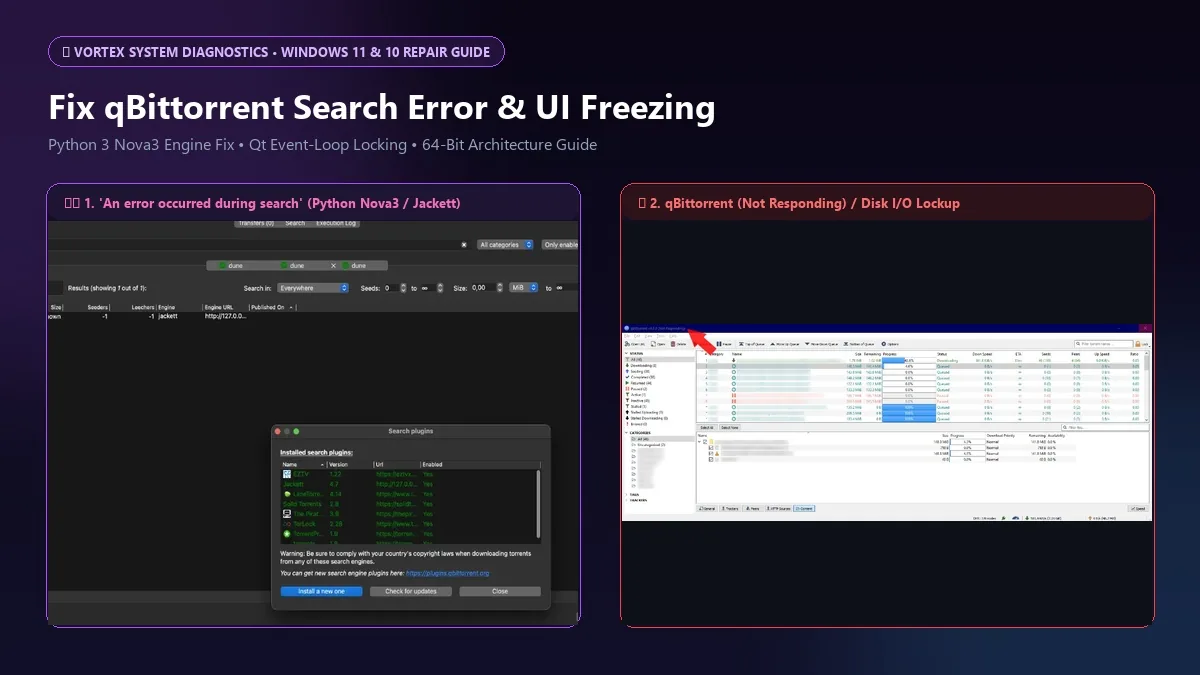
qBittorrent triggers “An error occurred during search” when Windows 11 PATH variables break Python 3 execution or outdated Jackett and nova3 search plugins fail SSL handshakes, while UI freezes happen when synchronous disk I/O blocks the Qt interface thread. Repairing Python paths or switching to Vortex Downloader resolves both.
Table of Contents
Quick Diagnostic Table: qBittorrent Search & Freeze Failures
BitTorrent clients encounter distinct networking, runtime, and memory bottlenecks on Windows 11 and 10. Cross-reference your exact client symptom against its underlying architectural root cause and configuration fix:
| Symptom | Root Cause on Windows 11 | Manual qBittorrent Repair | Vortex Downloader (v1.1.3) Solution |
|---|---|---|---|
| “An error occurred during search” (Python tab) | Windows App Execution Alias points to dummy Store app; missing 64-bit Python in system PATH. | Disable App Execution Aliases, install Python 3.12 x64, add to PATH, reinstall search plugins. | Zero Python dependency. Native multi-threaded scraper + RSS automation built-in. |
| Jackett / Nova3 Search Plugins Return 0 Results | Expired cloudflare scrapers or outdated plugin regex definitions inside %LocalAppData%. | Wipe %LocalAppData%\qBittorrent\nova3\engines and force plugin update check. | 16+ pre-injected tier-1 tracker lists + automated DHT/PEX swarm bootstrap. |
| qBittorrent (Not Responding) UI Freeze | Single-threaded disk write cache contention while hashing large files on Windows 11. | Disable OS cache, set asynchronous I/O threads to 8, uncheck “Resolve peer countries”. | Pre-allocated 64-bit memory-mapped sparse files with zero UI thread contention. |
| Transfer Drops to 0 B/s (Stalled) | Router NAT table overflow from excessive uTP half-open UDP sockets. | Switch peer protocol from uTP to TCP only; cap max connections to 350. | Managed socket pooling + adaptive sequential piece priority algorithm. |
Interactive Search Error & UI Freezing Diagnostic Tool
Select your exact qBittorrent symptom below to preview the architectural root cause and instant configuration resolution:
Primary Root Cause: Windows App Execution Alias Redirect
Windows 11 ships with zero-byte dummy shortcuts for python.exe and python3.exe pointing to the Microsoft Store. When qBittorrent launches its search tab, it spawns this alias instead of your installed Python runtime, halting with “An error occurred during search”.
python --version.How to Fix "qBittorrent An Error Occurred During Search" (Python & Nova3 Repair)
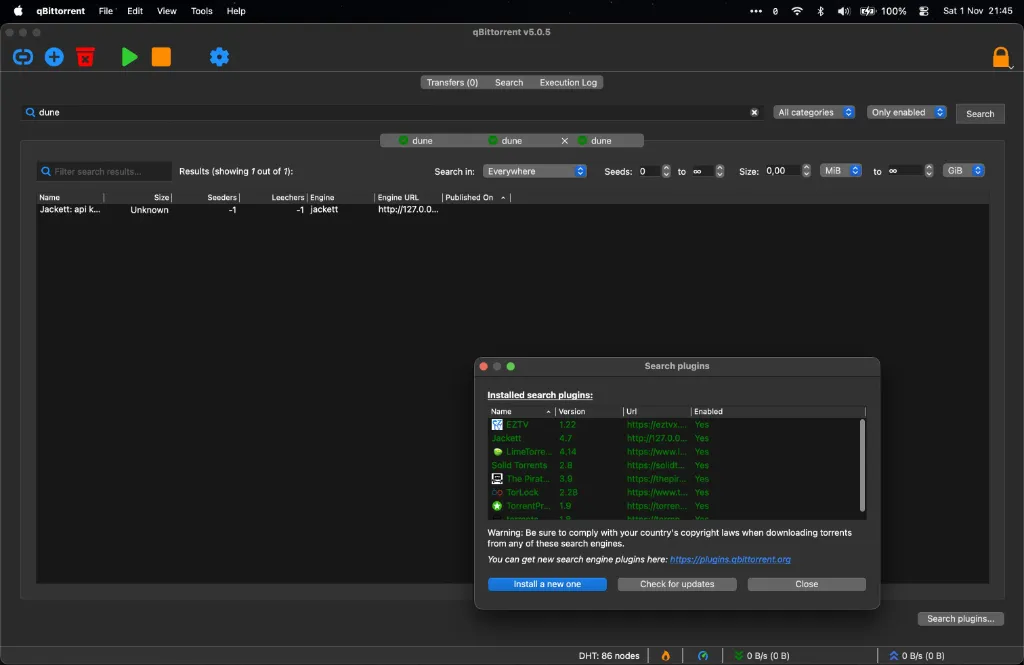
If you click the Search tab in qBittorrent and are greeted with "An error occurred during search" or if engines like Jackett and nova3 return zero results while throwing execution errors, your local Python bridge is broken. Follow this 3-tier repair guide.
Tier 1 — The Genuine Technical Fix for qBittorrent
- Disable Windows 11 App Execution Aliases: Windows 11 installs dummy aliases that redirect
python.execommands to the Microsoft Store. Open Settings > Apps > Advanced app settings > App execution aliases. Toggle OFF bothpython.exeandpython3.exe. - Verify Python 3.10+ x64 Installation: Download the official 64-bit installer from Python.org. During setup, check the box that says "Add python.exe to PATH". If already installed, repair the setup to confirm PATH registration.
- Purge Corrupted Nova3 Engines: Press Win + R, enter
%LocalAppData%\qBittorrent\nova3\engines, and delete existing outdated.pyplugin files. These frequently become corrupted when tracker domains change their HTML layouts. - Reinstall Updated Plugins via Official Source: Reopen qBittorrent, navigate to Search > Search plugins > Check for updates, or install verified indexers from the official qBittorrent Search Plugins Repository. If using private indexers, connect Jackett via the local API endpoint (e.g.
http://127.0.0.1:9117).
Tier 2 — Why qBittorrent's Search Architecture Keeps Breaking
qBittorrent does not contain an internal search engine. Instead, it relies on legacy Python scripts (nova3) that execute in an external interpreter subprocess. Whenever Windows 11 updates, Python environment variables shift, or an indexer changes its TLS certificate cipher suite, the Python child process silently crashes, passing error code -1 back to the Qt interface. Power users spend hours re-configuring virtual environments just to find files.
Tier 3 — The Vortex Bridge (Zero-Python Discovery & RSS Automation)
If you want reliable peer discovery without managing Python interpreters, Vortex Downloader provides a clean, native alternative. The Free Basic Edition includes automated public tracker injection and full DHT/PEX peer discovery adhering to the BitTorrent Protocol Specification (BEP 0003). For power users, Vortex Pro adds automated 15-minute RSS feed polling with regex filters, fetching content the moment releases drop without third-party scripts. If your transfers ever halt unexpectedly, see our guide on fixing qBittorrent stalled downloads.
Why qBittorrent & BitTorrent Freeze on Windows 11 ("Not Responding" Fix)
Another major failure mode on Windows 11 is total UI freezing: the client displays "qBittorrent (Not Responding)", memory consumption spikes, and the window turns semi-transparent grey when downloading large multi-file archives or seeding hundreds of active transfers.
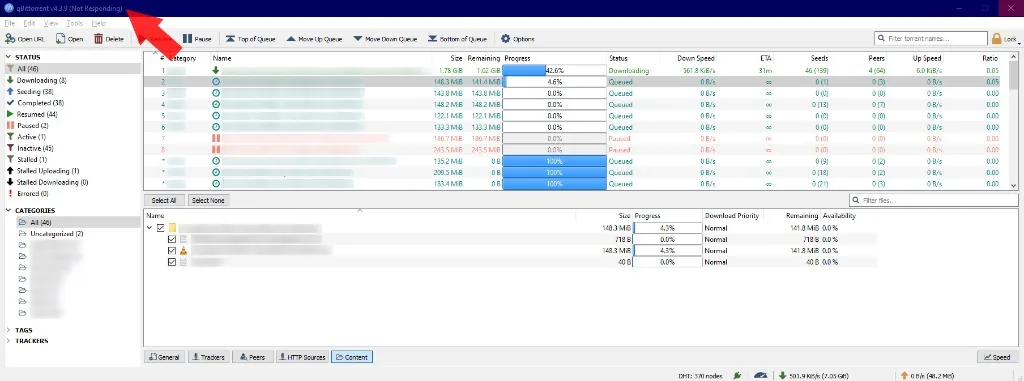
Tier 1 — 4 Steps to Stop qBittorrent & uTorrent UI Freezes
- Bind to Physical Network Interface: Go to Tools > Options > Advanced. Under Network Interface, switch from
Any interfaceto your specific physical adapter (e.g.EthernetorWi-Fi). When set toAny interface, Windows 11 routes UDP socket queries across dead WSL or VPN virtual adapters, causing the networking thread to hang. - Disable OS Disk Cache Contention: In Options > Advanced, change Disk write mode to
Disable OS cacheand set Disk cache to512 MBor1024 MBinstead of auto (-1). This stops Windows 11 NTFS from blocking the main process thread during 100% disk write spikes. - Turn Off Peer Country Resolution: Uncheck "Resolve peer countries (GeoIP)" in Options > Connection. Performing reverse IP lookups for thousands of simultaneous swarm peers saturates the DNS resolver and locks the Qt table rendering loop.
- Whitelist Client in Windows Defender: Add
qbittorrent.exeand your download staging folder to Windows Security exclusions. Real-time antivirus scanning of temporary.!qBfiles while pieces are written locks file descriptors and triggers crash dumps (for uTorrent users experiencing this, see our uTorrent Windows 11 crash fix).
Tier 2 — The Underlying Flaw: Synchronous Disk I/O & Qt Event-Loop Contention
When qBittorrent or BitTorrent becomes completely unresponsive ('Not Responding') on Windows 10 and 11, the freeze is rarely caused by CPU exhaustion. Instead, synchronous disk I/O waiting and Qt event-loop contention lock the graphical window. Every time libtorrent flushes dirty cache blocks to an NTFS drive or verifies multi-gigabyte piece hashes while Windows Defender scans the .!qB file, the main UI thread waits for the storage controller to respond. Leaving 'Resolve peer countries (GeoIP)' enabled or opening hundreds of UDP (uTP) half-open sockets triggers continuous UI table redraws that freeze the client. Switching to asynchronous OS memory-mapped I/O and binding a single physical network interface stops the UI lockup. For users who want zero UI stutter alongside high-speed direct downloads, Vortex Downloader isolates swarm disk I/O onto background worker threads using pre-allocated 64-bit sparse files.
Tier 3 — The Vortex Bridge: Verified 64-Bit Sparse File Engine (v1.1.3)
For a complete feature breakdown, see our Vortex vs qBittorrent 2026 benchmark. Vortex Downloader (v1.1.3) is distributed via Official GitHub Releases (SHA-256: E61D27DEB21DE588A57167D8A85DACF7CF324F33A6375E0DF10235A48C041C39, verified 0/58 Clean on VirusTotal) and replaces synchronous disk blocking with pre-allocated 64-bit sparse files, sequential piece prioritization for instant 8K HDR in-app video streaming, and an automated post-download Windows Defender CLI scan. If you only need individual files from an archive, follow our guide on how to download specific files from a torrent.
Frequently Asked Questions (FAQ)
How do I fix 'An error occurred during search' in qBittorrent on Windows 11?
Open Windows Settings > Apps > Advanced app settings > App execution aliases and toggle off python.exe and python3.exe so Windows stops redirecting qBittorrent to the Microsoft Store stub. Next, press Win + R, open %LocalAppData%\qBittorrent\nova3\engines, delete outdated plugin scripts, and click "Check for updates" inside qBittorrent's Search Plugins tab.
Why does qBittorrent keep freezing or showing 'Not Responding' on Windows 11?
qBittorrent freezes when synchronous disk cache flushes wait on NTFS storage locks or when Windows Defender inspects active .!qB temp files while the Qt event-loop thread redraws thousands of swarm peer rows. Binding qBittorrent to a physical network adapter in Tools > Options > Advanced and unchecking "Resolve peer countries" frees the main UI thread from memory locks.
How does Vortex Downloader search and automate torrents without Python errors?
Unlike qBittorrent, Vortex Downloader (v1.1.3) does not depend on fragile external Python scripting engines that break during Windows updates. The Free Basic Edition provides a native 64-bit DHT/PEX BitTorrent client with 16+ injected tier-1 trackers and per-file priority controls, while Vortex Pro adds an in-app TMDB/IMDb Media Streamer and a 15-minute automated Torrent RSS feed poller with regex filtering.