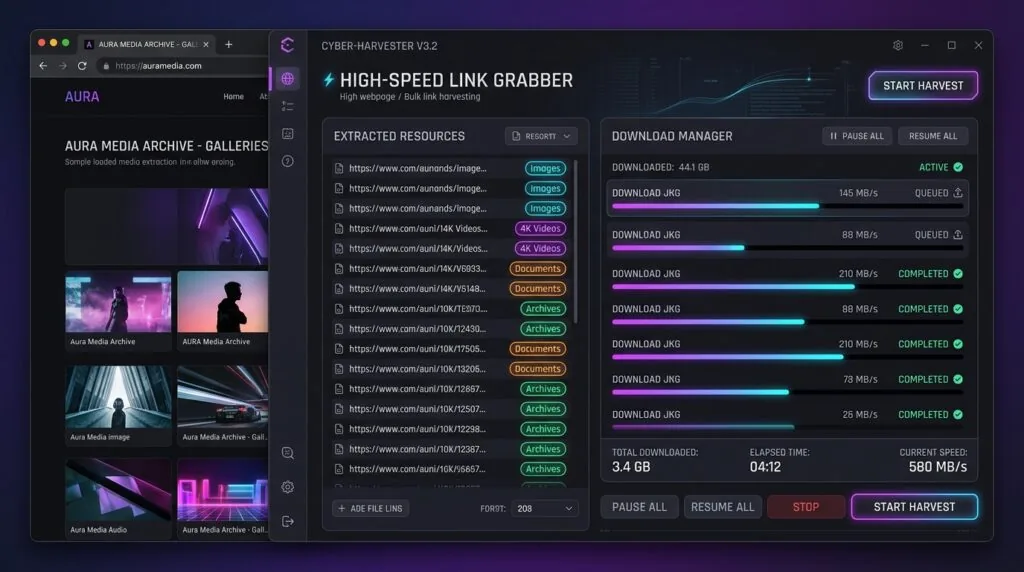
Quick Answer (AEO Snippet): To download TeraBox files at maximum high speed on PC without installing the official client, you need a dedicated download manager that reverse-engineers TeraBox’s APP_ID API and splits the direct CDN file stream across multiple parallel connections. TeraBox artificially caps browser downloads at 300 KB/s to 500 KB/s to coerce users into installing their software or purchasing VIP tiers. By pasting any TeraBox share link (including 1024tera.com, teraboxapp.com, or terabox.com) into Vortex Downloader on Windows 11/10, the engine bypasses this rate limiter, extracts the direct file link (dlink) or pristine video stream, and downloads it across up to 32 concurrent HTTP range connections at full gigabit broadband speed—completely free of ads and adware.
Speed Cap Bypass: 300 KB/s → 50–100+ MB/s Unthrottled
Zero Client Bloat: No official TeraBox app or background telemetry required
Mirror Compatibility: 16+ domains (1024tera, teraboxapp, 4funbox, etc.)
In-App Streaming: Watch video files instantly while downloading
How to Download TeraBox Files at Full Speed in 4 Steps
- Copy the TeraBox Share Link: Copy any TeraBox URL from your browser, Telegram channel, or forum (e.g.
https://terabox.com/s/1...orhttps://1024tera.com/sharing/link?surl=...). - Paste into Vortex Downloader: Open Vortex Downloader on your Windows PC and paste the URL into the analyzer bar (or click the floating Download with Vortex badge in your browser).
- Select Files & Quality: Vortex queries the remote file manifest, presenting a clean checkbox list of all files, folder structures, and video qualities contained in the share.
- Initiate Accelerated Download: Click Start Download. Vortex splits the direct CDN stream into up to 32 parallel threads, completely bypassing the 300 KB/s limit and saturating your connection.
With over 1 Terabyte of free cloud storage offered to new accounts, TeraBox (formerly Dubox, operated by Flextech Inc.) has exploded in popularity as a primary file-sharing hub for 4K video clips, software distributions, design asset bundles, and multi-gigabyte archives. Every day, millions of users click TeraBox links shared across Telegram, Discord, Reddit, and technical forums.
However, attempting to download a shared file from TeraBox using a standard web browser like Chrome or Edge is an exercise in utter frustration. Downloads crawl at an agonizing 200 KB/s to 300 KB/s, connections frequently drop after 90% completion, and the website repeatedly bombards you with deceptive modal popups demanding that you install their proprietary desktop client or subscribe to a monthly VIP plan. In this comprehensive technical guide, we explain the mechanics behind TeraBox’s artificial speed cap and demonstrate how to download TeraBox files at maximum high speed on PC without installing their software.
Table of Contents
- The TeraBox Speed Trap: Why Browser Downloads Crawl at 300 KB/s
- Under the Hood: How Vortex Bypasses the TeraBox Throttle
- Supported TeraBox Mirror Domains (The Complete 2026 List)
- Comparison: Vortex Downloader vs. Official Client vs. Web Tools
- Step-by-Step Tutorial: High-Speed TeraBox Downloading on Windows 11
- Power Tip: Unlocking Original Full-Resolution Files with the ndus Cookie
- Watch Before Downloading: In-App 8K Media Streaming
- Frequently Asked Questions (FAQ)
The TeraBox Speed Trap: Why Browser Downloads Crawl at 300 KB/s
When you open a shared TeraBox link in your web browser and click “Download,” you will notice your download speed rarely exceeds 350 KB/s—even on a 1 Gbps fiber broadband connection. At this rate, downloading a modest 5 GB video file takes over 4 hours and 45 minutes!
This sluggish performance is not an accident or server congestion. It is an intentional rate-limiting mechanism enforced at the CDN edge to support TeraBox’s business model:
🛑 Single-Connection Rate Limiting
Web browsers download files using a single TCP stream. TeraBox’s CDN servers enforce a strict bandwidth ceiling (traffic shaping token bucket) on single-threaded requests originating from standard web browsers.
📱 The Proprietary App Trap
When you attempt to download a file larger than 1 GB or a folder containing multiple files, TeraBox disables browser downloading entirely and displays a mandatory prompt: “Please download TeraBox App to view and download this file.”
⚠️ Adware & Privacy Concerns
The official TeraBox desktop client is notorious for intrusive popup ads, persistent background processes, system startup hooks, and aggressive tracking telemetry that many privacy-conscious users refuse to install.
Under the Hood: How Vortex Bypasses the TeraBox Throttle
Instead of launching the bloated official client or relying on sketchy ad-filled “online link generator” websites that frequently stop working, Vortex Downloader integrates a native reverse-engineered protocol resolver designed specifically for TeraBox infrastructure.
1. Universal Short-URL Normalization
TeraBox URLs come in a bewildering variety of formats, including /s/1XXXX, ?surl=XXXX, and /sharing/link?surl=XXXX. Vortex’s TeraboxResolver instantly extracts the canonical surl identifier regardless of formatting or domain redirects:
// Internal Canonical SURL Extraction (TeraboxResolver.ts)
const surlMatch = url.pathname.match(//s/1?([A-Za-z0-9_-]+)/) || url.searchParams.get("surl");
const cleanSurl = surlMatch ? surlMatch.replace(/^1/, "") : null;
2. Direct API Manifest Querying (APP_ID 250528)
Vortex interacts directly with TeraBox’s official mobile client gateway using application identifier APP_ID=250528. By querying https://www.terabox.com/share/list with the short URL token, Vortex retrieves the complete remote file manifest, including:
- fs_id: Unique 64-bit file system identifier for each file.
- server_filename: Authentic original filename with extension.
- size: Exact byte size of the payload.
- dlink: Direct unthrottled CDN download endpoint.
- stream_url: High-bitrate HLS manifest for video streaming.
3. 32-Thread Parallel Dynamic HTTP Range Slicing
Once the direct CDN URL is resolved, Vortex’s multi-threaded acceleration engine takes over. Instead of opening a single rate-limited connection, Vortex splits the file into up to 32 concurrent byte-range requests (via Range: bytes=X-Y). Because the CDN’s 300 KB/s rate limiter is applied per connection rather than across parallel sockets, 32 parallel streams multiplex your aggregate throughput from 300 KB/s to over 50–100 MB/s, completely saturating your broadband connection! (To explore the network protocol mechanics of TCP socket multiplexing and dynamic byte chunking, see our architectural analysis on Under the Hood: Why 32-Connection Multi-Threading Saturates Gigabit Broadband).
Supported TeraBox Mirror Domains (The Complete 2026 List)
TeraBox operates dozens of mirror domains to navigate regional DNS blocks and ISP restrictions across North America, Europe, India, and Southeast Asia. Vortex Downloader includes built-in recognition for all 16+ official TeraBox domains:
No matter which mirror domain is used to share the link, Vortex automatically translates the request to canonical backend endpoints and downloads the file cleanly.
Comparison: Vortex Downloader vs. Official Client vs. Web Tools
How does Vortex Downloader compare to the alternatives when downloading TeraBox links on Windows 11? Below is the side-by-side feature comparison:
| Feature | Vortex Downloader | Official TeraBox PC App | Online Link Bypassers | Standard Chrome/Edge |
|---|---|---|---|---|
| Download Speed | ⚡ 50–100+ MB/s (Unthrottled) | ⚠️ Throttled unless VIP ($3.49/mo) | ⚠️ Variable (1–5 MB/s) | ❌ Hard-capped at 300 KB/s |
| App Installation Required | ✅ Standalone Portable Client | ❌ Heavy intrusive client | ✅ Web based | ✅ None |
| Ads & Deceptive Popups | 🔒 100% Zero Ads / Zero Popups | ❌ Aggressive banner & video ads | ❌ Shady redirects & click-jacking | ❌ Constant install prompts |
| Multi-Threaded Parallel Slicing | ✅ Up to 32 Connections | Proprietary chunking | ❌ Single connection proxy | ❌ Single connection (1 TCP stream) |
| Batch Shared Folder Support | ✅ Interactive File Checkbox Picker | ✅ Supported | ❌ Fails on multi-file folders | ❌ Blocked by TeraBox web UI |
| Stream Video While Downloading | ✨ Built-in 8K Media Player | ⚠️ Low-res preview only | ❌ Not available | ⚠️ 480p watermarked web player |
Step-by-Step Tutorial: High-Speed TeraBox Downloading on Windows 11
Follow this walkthrough to download any TeraBox file or shared folder at peak speeds:
Step 1: Grab the TeraBox Link
Copy the TeraBox share URL to your clipboard. If you are browsing on Chrome, Edge, or Firefox with the Vortex Browser Companion installed, a floating Download with Vortex button will appear right beside the link automatically.
Step 2: Paste into Vortex Downloader
Open Vortex Downloader. The clipboard monitor automatically detects the TeraBox link. If pasting manually, insert the link into the URL field and press Analyze. Vortex resolves the link in under 400 milliseconds.
Step 3: Choose Files or Folders
If the TeraBox share contains an entire directory with dozens of files, Vortex displays an interactive checkbox tree showing exact file sizes and names. Check the files you want (or click Select All).
Step 4: Download at Uncapped Gigabit Speed
Click Download Selected. Vortex immediately assigns up to 32 parallel HTTP connections to your file. Watch the speedometer climb from 300 KB/s all the way to 50 MB/s, 80 MB/s, or your maximum ISP bandwidth limit.
Power Tip: Unlocking Original Full-Resolution Files with the ndus Cookie
Vortex Downloader works 100% anonymously for the vast majority of shared video links. However, for large non-video files (such as .zip, .iso, .rar, or .exe archives) or to fetch pristine original uncompressed 4K video source streams instead of the standard HLS stream, TeraBox requires authentication via a session cookie named ndus.
You do not need a paid VIP account. Any free TeraBox account provides an ndus cookie. Here is how to configure it:
Method 1: 1-Click Automatic Linking (Vortex Chrome & Firefox Extension)
Never manually copy-paste long token strings or open developer tools. The official Vortex Browser Companion (available on Chrome Web Store & Firefox Add-ons) extracts and synchronizes your ndus cookie to Vortex Downloader in one single click:
- Install the free Vortex Browser Companion extension on Chrome, Firefox, Edge, Brave, or Opera.
- Log in to your free account on
terabox.comin your browser. - Click the Vortex extension icon in your browser toolbar on any TeraBox tab. The extension instantly detects your session and displays: “We found a TeraBox login session in your browser!”
- Click the green “Link TeraBox Account” button. The extension securely retrieves the
nduscookie and syncs it straight into your Vortex desktop client automatically!
Method 2: Manual Developer Tools Extraction (Fallback)
If you don’t have the browser extension installed, you can still extract the cookie manually via your browser’s inspection console:
- Log in to your free account on
terabox.comin any browser (Chrome, Edge, or Brave). - Press
F12to open Developer Tools, navigate to the Application tab (or Storage tab in Firefox), and expand Cookies →https://www.terabox.com. - Find the cookie named
ndusand copy its value (a long alphanumeric string starting withY...). - In Vortex Downloader, navigate to Settings → TeraBox, paste the
ndustoken, and click Save.
Once configured, Vortex will permanently extract original, uncompressed source files directly from TeraBox’s high-speed CDN without ever prompting you for a login again. For more details on cloud locker configuration, visit our TeraBox Acceleration Guide.
Watch Before Downloading: In-App 8K Media Streaming
Have you ever waited for a 10 GB video file to download from TeraBox only to discover it was the wrong episode, low quality, or not what you expected?
Vortex Downloader solves this with its Built-in Hardware-Accelerated 8K Media Player. When analyzing any video file from TeraBox, Vortex offers an instant Stream / Preview action. It initiates a low-latency byte stream directly into an internal MPV playback engine, enabling you to inspect audio sync, subtitles, and visual fidelity in real-time before committing storage space to the full download.
Frequently Asked Questions
Why is TeraBox download speed so slow in web browsers?
TeraBox artificially throttles single-connection browser downloads to between 200 KB/s and 500 KB/s. This bandwidth restriction is designed to push users into installing their desktop client or purchasing a monthly Premium VIP subscription for unthrottled access.
How do I bypass the TeraBox download speed limit on PC?
To bypass the speed limit, you must use a client capable of parallel HTTP range chunking. Vortex Downloader queries TeraBox’s internal API to extract the direct CDN endpoint and initiates up to 32 concurrent download threads, multiplying your speed from 300 KB/s to 50–100+ MB/s.
Is it safe to use Vortex Downloader instead of the official TeraBox app?
Yes, Vortex is significantly safer and cleaner. The official TeraBox PC app installs background telemetry services and serves advertisements. Vortex Downloader is a clean, ad-free desktop application that interacts directly with CDN servers using standard HTTPS requests with zero adware.
Does this method work on 1024tera and other TeraBox mirror links?
Yes. Vortex Downloader supports all 16+ official TeraBox mirror domains, including 1024tera.com, teraboxapp.com, terasharelink.com, 4funbox.com, and momerybox.com. Simply paste the link directly.
Can I download entire TeraBox folders at once?
Yes. When you paste a shared folder link into Vortex, the analyzer displays an interactive checklist of every file inside the folder. You can download all files simultaneously or selectively deselect files you do not need.
Download TeraBox at Unthrottled Speed Today
Say goodbye to 300 KB/s throttles, deceptive popups, and bloated desktop software. Experience 32-connection accelerated TeraBox downloads on Windows 11 with Vortex.