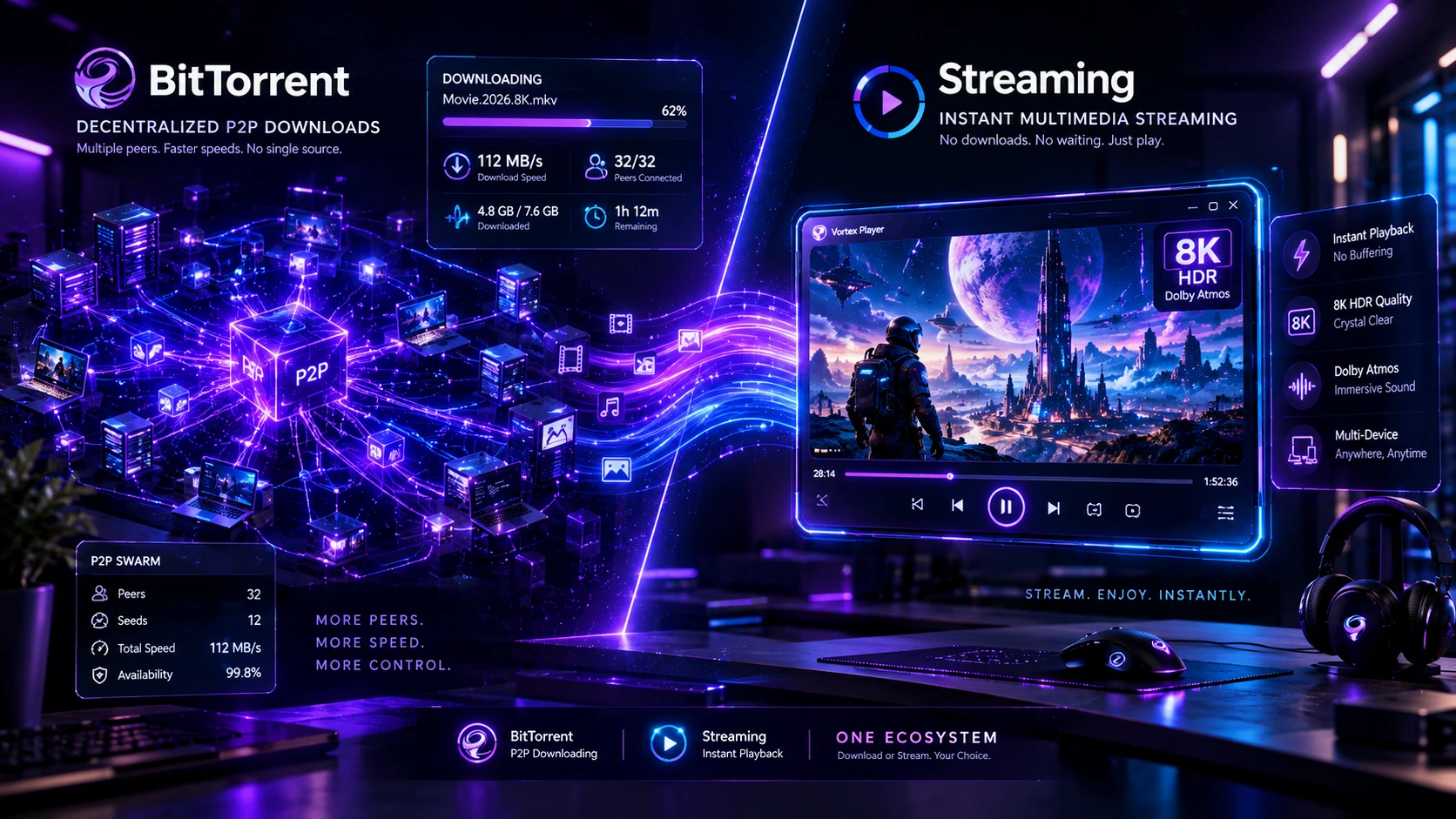
While qBittorrent is a reliable open-source BitTorrent client, it cannot accelerate direct HTTP links, cloud shares, or 8K YouTube streams, and lacks a built-in media player. The Vortex 64-Bit BitTorrent & Magnet Client combines a native DHT torrent swarm engine with an 8K HDR player and up to 32 parallel HTTP connections in one app.
⚡ P2P Core: Native libtorrent & Sequential Piece Scheduler
🎬 Streaming: Instant In-App 8K HDR Video Playback
🛡️ Security: Automated Windows Defender CLI Scans
🔬 Tested By: Vortex Systems & Network Protocol Lab
For more than a decade, qBittorrent has reigned as the gold standard of desktop peer-to-peer downloading. Born as an open-source, bloat-free successor to the adware-infested legacy clients of the 2000s, it earned widespread loyalty among archivists, data hoarders, and cinephiles. However, as digital media workflows have evolved in 2026, the traditional desktop model of running isolated, single-purpose utilities has created severe operational friction.
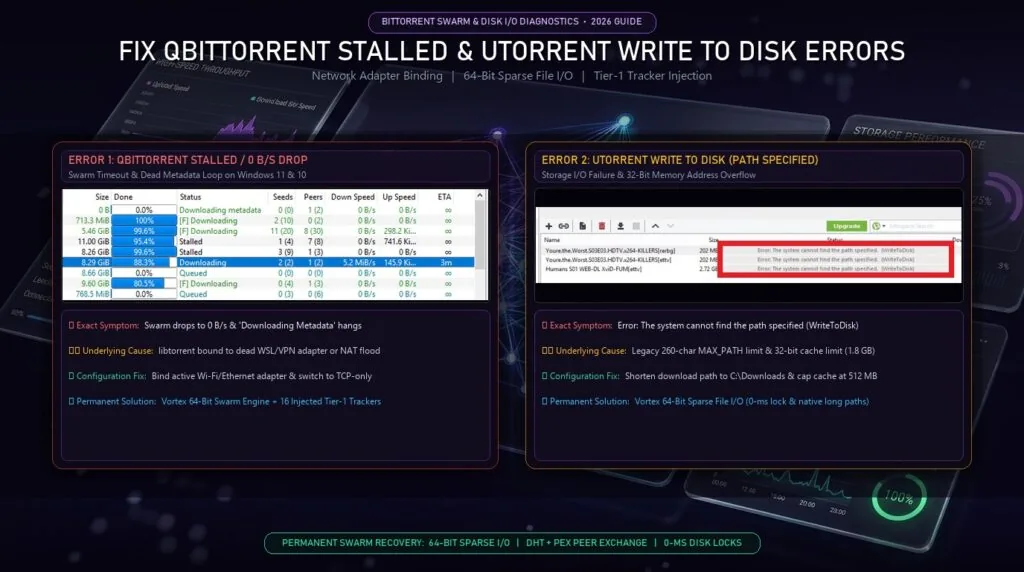
While users previously abandoned uTorrent due to aggressive adware and notorious memory crashes on modern Windows systems (read our diagnostic guides on why uTorrent keeps crashing on Windows 11 & 10 and fixing qBittorrent stalled downloads and uTorrent write to disk errors), today’s power users typically have four separate tools running simultaneously: a dedicated torrent client like qBittorrent, an HTTP download manager like IDM to handle browser downloads, a media ripper like 4K Video Downloader or yt-dlp to grab streaming video, and a heavy third-party media player like VLC to preview files. This in-depth 2026 benchmark examines whether Vortex Downloader’s multi-engine convergence makes a standalone torrent client obsolete, or if qBittorrent still holds exclusive technical advantages for specialized users.
The 2026 Dilemma: The Cost of Desktop App Fragmentation
Under the legacy desktop paradigm, computing tasks were segmented into rigid departmental silos. You had one application for browser downloads, another for torrent swarms, a third for grabbing YouTube clips, and an external media player with third-party codec packs. On modern Windows 11 systems, this multi-app architecture extracts a tangible toll:
⚠️ Background Resource Hogging
Running qBittorrent alongside IDM, 4K Video Downloader, and VLC leaves four independent background processes permanently polling system RAM, consuming 1.2GB–2.5GB of idle memory and cluttering your Windows system tray.
⏱️ Context-Switching & Path Chaos
Files land scattered across disconnected folders—Downloads/IDM, Torrents/Completed, and Videos/4KDownload. Managing incomplete files, moving directories, or verifying file integrity requires tedious manual file explorer navigation.
🛡️ Security Blindspots
Peer-to-peer swarms frequently distribute poisoned archives containing trojanized droppers. Standard torrent clients finish the download and leave the dangerous payload uninspected on your SSD until you execute it.
Vortex Downloader was engineered to eliminate this fragmentation entirely. By embedding a high-performance BitTorrent client directly alongside a 32-stream dynamic TCP HTTP slicer and a hardware-accelerated 8K HDR media player, Vortex merges your entire ingestion pipeline into one unified cockpit.
Where qBittorrent Excels & Where Desktop Friction Begins
To understand whether you can retire qBittorrent, an honest technical appraisal of its strengths is required. qBittorrent is not bad software—it is specialized software built for a specific server-adjacent niche:
qBittorrent’s Core Strengths (Why Hardcore Archivists Love It)
- The libtorrent Rasterbar Engine: Powered by Arvid Norberg’s battle-tested libtorrent C++ library, qBittorrent supports advanced BitTorrent protocol extensions (BEP 5 DHT, BEP 11 PEX, BEP 15 UDP Tracker, BEP 52 BitTorrent v2).
- Headless WebUI Automation: qBittorrent can run on remote headless Ubuntu seedboxes, TrueNAS Core servers, and unRAID arrays, exposing a browser-accessible WebUI that integrates seamlessly with automated *arr media stack pipelines (Sonarr, Radarr, Prowlarr).
- Granular Seeding Ratio Limits: Deep mathematical rules for super-seeding, share ratio caps, time-based queue management, and per-tracker connection limits tailored for private tracker compliance.
- Zero Monetization: Maintained strictly by open-source volunteers under the GPL license with zero ads, zero subscriptions, and zero telemetry.
The Everyday Desktop Reality: Where qBittorrent Falls Short
While unmatched on a dedicated Linux server rack, qBittorrent exposes glaring operational limitations when used as an everyday desktop application on a high-performance Windows 11 workstation:
- Protocol Silo (Zero HTTP or Streaming Capabilities): Paste a direct link from Google Drive, MediaFire, or PixelDrain into qBittorrent, and it does nothing. Try to rip an 8K video from YouTube or a clip from TikTok, and it is useless. It only understands torrent metadata.
- No Integrated Media Player (The “Sequential Download” Illusion): qBittorrent includes a “Download in sequential order” checkbox. However, because it has no internal media engine, you must navigate to Windows Explorer and open the incomplete
.!qB or .part file inside an external player like VLC. This frequently triggers fatal index seek errors, audio desync, or complete player freezing because the container moov atom or final frame clusters are missing. - Dense, Dated 2012 Qt User Interface: The interface remains a rigid spreadsheet grid with dozens of dense technical columns. It lacks modern visual cues, media artwork scrapers, dynamic piece heatmaps, or sleek Cyber-Kinetic styling.
- No Integrated Antivirus Defense: When a downloaded torrent contains a disguised payload (e.g.
Installer.exe hidden within an ISO), qBittorrent silently finishes and leaves it uninspected. Vortex, by contrast, automatically triggers background Microsoft Defender CLI scans (Antivirus Documentation) the millisecond the file hashes complete. - Fragile Python Search Plugins & UI Freezing: Enabling qBittorrent’s built-in search engine requires a separate external Python runtime. When Windows 11 App Execution Aliases hijack
python.exe or disk write caches exhaust under heavy gigabit swarms, users experience persistent qBittorrent search plugin errors and “Not Responding” UI freezing. Vortex eliminates this entirely by integrating native tracker scraping without runtime scripting dependencies.
2026 Master Comparison Matrix (Vortex vs qBittorrent vs Competitors)
The following benchmark matrix compares leading desktop torrent and download utilities on Windows 11 across swarm protocol fidelity, media streaming, HTTP acceleration, and system security:
| Capability / Feature | Vortex Downloader | qBittorrent | Transmission | Deluge | BiglyBT |
|---|
| BitTorrent / Magnet Swarm Engine | Full Native Engine | Full Native (libtorrent) | Full Native | Full Native | Full Native (Java) |
| In-App Sequential Streaming | Zero-Latency Streaming Player | None (External VLC Hack) | None | None | Plugin Required |
| Built-in 8K HDR Media Player | Yes (BT.2390 + Dolby + Subtitles) | No (Requires 3rd-party player) | No | No | No |
| Per-File Priority Controls | High / Normal / Low / Skip | High / Normal / Low / Do Not Download | High / Normal / Low | High / Normal / Low | Granular Priorities |
| Direct HTTP Slicing (IDM-Grade) | Up to 32 Parallel TCP Slices | None (Torrent only) | None | None | None |
| 8K/4K Video Stream Extraction | Yes (1,800+ Streaming Sites) | None | None | None | None |
| Integrated Post-Download Antivirus | Automated (Windows Defender CLI) | None (Manual scripts only) | None | None | None |
| Desktop UI Aesthetics | Cyber-Kinetic Obsidian & Purple | Legacy Qt Spreadsheet | Minimalist Mac / GTK | GTK Desktop Grid | Cluttered Java UI |
| Pricing & Telemetry | Free / Pro Trial (Zero Telemetry) | 100% Free Open Source | 100% Free Open Source | 100% Free Open Source | Open Source (Ad-supported) |
Technical Teardown: Swarm Telemetry & Sequential Piece Picking
Under the hood, BitTorrent operates on a fundamental mathematical conflict: Swarm Health vs. Linear Playback. Understanding how Vortex reconciles these two competing objectives reveals why it succeeds where traditional clients stumble.
The Rarest-First Algorithm (The Classic P2P Standard)
As standardized in the official BitTorrent Protocol Specification (BEP 3), standard clients like qBittorrent download chunks using the Rarest-First piece picker. The client determines which piece of the file is possessed by the fewest peers in the swarm and requests that piece immediately.
Rarest-First prevents bottlenecking, ensures piece diversity across seeds, and maximizes overall swarm redundancy. However, for a human who wants to watch an episode or movie right now, Rarest-First is catastrophic: piece #4,820 and piece #12 arrive first, while piece #2 (the video file header) might not arrive until 95% of the total download is complete. The video is completely unplayable until the entire multi-gigabyte package has finalized on disk.
Vortex’s Adaptive Sequential Piece Scheduler
Vortex Downloader solves this through an intelligent Hybrid Piece Scheduler:
-
Boundary Chunk Priority: Vortex immediately requests the very first 2% and the final 2% of the media file. This secures the container headers—the
moov atom for MP4 containers or the EBML header and Cluster Index for MKV files—allowing the playback engine to parse timestamps, audio codecs, and resolution tracks in milliseconds. -
Forward Sliding Window: Once the header is locked, the scheduler maintains a continuous 50MB forward buffer directly ahead of the active playback scrubber, requesting those chunks with highest priority.
-
Opportunistic Rarest-First Seeding: All background socket capacity not utilized by the forward playback buffer immediately defaults to Rarest-First chunk fetching. You seed vital pieces back to the swarm and uphold good peer ratios without interrupting your video playback.
qBittorrent-Style Per-File Priority Granularity
One of qBittorrent’s most praised capabilities is granular control over individual files inside a multi-file torrent package (such as a full season containing 24 episodes or an album with lossless FLAC tracks).
Vortex replicates this exact workflow directly in the Torrent Inspector:
- High Priority: Directs the piece scheduler to pull this specific episode before all other files in the package.
- Normal Priority: Standard piece allocation across the torrent queue.
- Low Priority: Fetches pieces only when idle bandwidth is available after higher queues complete.
- Skip / Do Not Download: Completely excludes the unselected files from your disk allocation, preventing wasted drive space on unwanted commentary tracks, sample clips, or subtitle languages you do not need.
In-App 8K HDR Streaming: Watch While Downloading vs The VLC Hack
If you have ever attempted to preview an in-progress torrent using qBittorrent and an external player like VLC, you are familiar with the friction. You right-click the torrent, select sequential download, open File Explorer, find the hidden temporary .!qB file, and drag it into VLC.
⚠️ The Inherent Flaws of the “External VLC Hack”
External media players have no communication with the torrent client’s socket layer. When VLC hits a piece boundary that has not yet finished downloading, it does not pause to request the missing bytes—it simply encounters a read error, attempts to rebuild an index file, skips forward randomly, desynchronizes the audio, or crashes entirely.
Vortex Downloader eliminates this entire problem through native architectural integration. Because the Built-in 8K Media Player runs inside the same process boundary as the torrent engine, the media player talks directly to the piece allocator:
- Instant 1-Click Playback: Click the purple “Play While Downloading” button the moment the swarm connects. Vortex buffers the initial header and begins playback within 5 to 10 seconds on broadband lines.
- Zero External Codecs: Plays high-bitrate AV1, HEVC (H.265), VP9, and ProRes video containers out of the box with zero third-party codec packs.
- BT.2390 Dynamic HDR-to-SDR Tone Mapping: Downloaded an 8K 10-bit HDR remux but watching on a standard 1080p SDR laptop screen? Vortex applies real-time BT.2390 color tone mapping to eliminate washed-out colors and preserve highlight detail (learn how to capture raw AV1 10-bit streams in our 8K 60FPS HDR video guide).
- Multi-Track Audio & ASS/SSA Subtitle Rendering: Switch between surround Dolby 5.1 tracks, director commentaries, and complex stylized anime subtitle tracks with zero rendering artifacts.
Multi-Engine Synergy: Torrents, 32-Stream HTTP & 8K Video Extraction
The true reason power users are consolidating onto Vortex is not just that its torrent engine matches qBittorrent—it is what happens when you step outside the torrent ecosystem.
In everyday usage, digital content is distributed across a massive variety of protocols. Having a tool that only understands torrents leaves you stranded the moment you encounter a streaming site or a direct file host:
📡 Automated RSS Feed Monitoring
Subscribe to torrent and magnet RSS feeds with custom regex keyword filters. Vortex checks feeds in the background and queues matching releases automatically (RSS Feeds Documentation).
Step-by-Step Walkthrough: Downloading & Streaming Torrents in Vortex
Follow this simple guide to capture, prioritize, and stream BitTorrent files with Vortex:
-
Add the Torrent or Magnet URL: Drag and drop any
.torrent file directly into the Vortex desktop window, or copy a magnet:?xt=... URI. Vortex’s clipboard listener automatically catches the link and opens the Torrent Inspector. -
Inspect File Hierarchy & Set Priorities: The Torrent Inspector reveals the complete internal file tree. Deselect unwanted sample files or foreign audio tracks, and designate your priority episode as High Priority.
-
Launch In-App Streaming: If downloading video or audio, click “Play Stream Now”. Vortex activates sequential piece scheduling, buffers the boundary chunks, and launches the internal player within seconds.
-
Automated Antivirus Finalization: Once the download finishes, Vortex runs an automated background scan via Windows Defender (MpCmdRun.exe CLI) to ensure complete malware protection before the file is added to your permanent library.
Frequently Asked Questions (FAQ)
Can Vortex Downloader completely replace qBittorrent on Windows 11?
For the vast majority of everyday desktop power users, yes. Vortex handles magnet links, .torrent files, DHT/PeX peer discovery, and per-file priority controls while adding in-app sequential video streaming, 32-stream HTTP acceleration, and 8K media extraction. You only need qBittorrent if you are running a headless Linux server or seedbox with specialized automated *arr scripting.
Can I stream video torrents while they are still downloading in Vortex?
Yes. Unlike qBittorrent, which requires an external VLC workaround that frequently crashes on partial files, Vortex includes a native 8K HDR media player synchronized with its sequential piece scheduler. It requests boundary file headers first, enabling smooth, zero-stutter playback within seconds of joining the swarm.
Does Vortex Downloader support private trackers?
Yes. Vortex supports standard BitTorrent tracker announcements, passkeys, and private tracker flags. When a torrent is marked private, Vortex automatically disables DHT (Distributed Hash Table) and PeX (Peer Exchange) to preserve your private tracker credentials and security compliance.
Does sequential piece downloading harm the torrent swarm?
Standard sequential downloading can reduce swarm diversity if thousands of peers all download piece 1 at the same time. However, Vortex implements an adaptive forward-sliding buffer: it only requests the immediate 50MB needed for playback sequentially, while allocating remaining connection bandwidth to opportunistic rarest-first chunk fetching to maintain healthy peer seeding.
Is Vortex Downloader safe, private, and free from telemetry?
Yes. Vortex Downloader runs entirely client-side with zero telemetry, zero trackers, and zero bundled third-party monetization tools. Furthermore, Vortex integrates automated post-download scans with native Windows Defender to protect your PC against poisoned swarm executables.
Final Verdict: Do You Still Need a Dedicated Torrent Client?
The verdict depends strictly on where and how you consume media in 2026:
- Keep qBittorrent if you manage a 24/7 headless remote Linux seedbox, require complex web API integration with automated media server stacks (Sonarr/Radarr), or operate on private trackers that mandate strict client whitelist signatures.
- Switch to Vortex Downloader if you are an everyday desktop user on Windows 11 who wants to eliminate app bloat. Vortex gives you a full-speed BitTorrent client, instant sequential in-app streaming, a zero-codec 8K media player, 32-stream HTTP file slicing, and universal video extraction inside a single, state-of-the-art desktop suite.
Consolidate Your Downloads into One High-Speed Suite
Stream torrents in real-time, saturate gigabit broadband with 32-thread slicing, and extract pristine 8K 60FPS video – 100% ad-free on Windows 11.