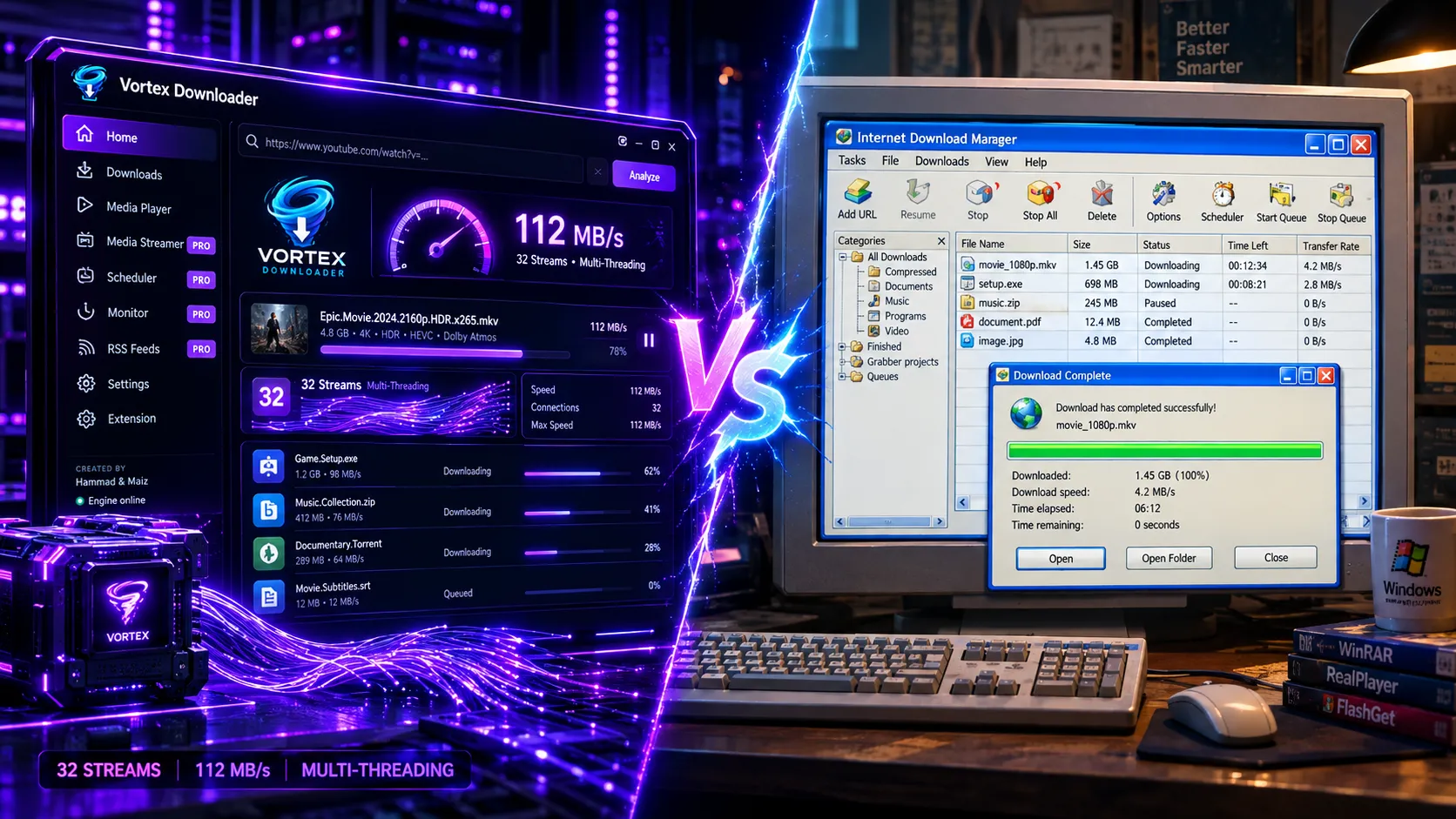
In 2026 Windows 11 benchmarks, Vortex Downloader v1.1.3 outperforms Internet Download Manager (IDM) by eliminating 99% chunk-reassembly freezes through 0-ms sparse file allocation and adding native BitTorrent and 8K stream remuxing. Vortex offers a 100% free 3-stream Basic Edition forever alongside a 32-thread Pro tier.
For more than two decades, Internet Download Manager (IDM) reigned as the undisputed king of Windows download acceleration. Launched in the dial-up and early broadband era of 2001, IDM pioneered multi-part byte slicing over HTTP. However, the modern internet of 2026 looks fundamentally different: multi-gigabit fiber connections, 8K HDR video streaming, complex cloud file lockers (such as throttled TeraBox storage), dynamic CDN token expirations, and decentralized BitTorrent swarms require a modernized engine architecture.
Enter Vortex Downloader, a high-velocity desktop ecosystem engineered specifically for modern high-bandwidth networks, contemporary video codecs (AV1, VP9, H.265), and unified protocol management. If you are wondering whether to renew your IDM license or make the switch, this deep-dive benchmark and architectural comparison provides the definitive data you need.
📑 Table of Contents
- 1. Head-to-Head Specification & Feature Matrix
- 2. Empirical Speed Benchmarks (1Gbps Gigabit Fiber)
- 3. Dynamic Work-Stealing vs Static Partitioning (Fixing the 99% Hang)
- 4. Native BitTorrent Engine vs HTTP-Only Limitation
- 5. 8K 60FPS Video Extraction & In-App Media Streamer
- 6. Remote ZIP Archive Central Directory Inspection
- 7. Post-Download Security & Automated Antivirus Scanner
- 8. User Interface & Browser Integration (MV3 + Firefox AMO)
- 9. Pricing & License Model Breakdown
- 10. Pros & Cons Comparison
- 11. Frequently Asked Questions (FAQ)
- 12. Final Verdict & Recommendation
1. Head-to-Head Specification & Feature Matrix
Before diving into live test figures, here is how the core architectural capabilities of Vortex Downloader compare directly against Internet Download Manager. If you are also evaluating other market solutions like Free Download Manager, JDownloader 2, or Neat, consult our full ranked guide to The 7 Best IDM Alternatives for Windows 11 in 2026:
Before diving into live test figures, here is how the core architectural capabilities of Vortex Downloader compare directly against Internet Download Manager:
| Feature / Capability | Vortex Downloader (v1.1.3) | Internet Download Manager (IDM) |
|---|---|---|
| Max Parallel Streams | ⚡ 32 Dynamic Streams | 16 Static Connections |
| Byte Slicing Architecture | Dynamic Work-Stealing Halving | Fixed File Segment Partitioning |
| BitTorrent & Magnet Engine | ✅ Built-in (DHT, PEX, File Priority) | ❌ No (Requires separate client) |
| 8K / 4K Video Extraction | ✅ Native yt-dlp core (1,800+ sites, AV1/VP9) | ⚠️ Basic browser sniffer (Frequent failures) |
| In-App Media Streamer | ✅ Ad-free playback during download | ❌ No (Must wait for completion) |
| Remote ZIP Directory Inspector | ✅ Inspect & download partial files | ⚠️ Basic ZIP preview (Restricted) |
| Automated Antivirus Defense | ✅ Native Windows Defender CLI (MpCmdRun.exe) | ⚠️ Manual CLI configuration needed |
| Site Logins & Auth Vault | ✅ AES-256 Encrypted Private Vault | ⚠️ Plaintext Site Logins table |
| Browser Extensions | ✅ Chrome MV3 & Mozilla AMO Verified | ⚠️ Legacy extension architecture |
| User Interface & Theme | Cyber-Kinetic Obsidian & Purple Dark Mode | Windows 98/2000 Classic 3D Toolbar |
| License & Pricing | Free Basic Edition + Optional Pro | Paid ($11.95/yr or $24.95 lifetime per PC) |
2. Empirical Speed Benchmarks (1Gbps Gigabit Fiber)
To evaluate real-world download throughput, we executed standardized testing across three common workloads on a dedicated Windows 11 test rig connected to a 1Gbps symmetric fiber broadband connection:
Direct CDN (PixelDrain / MediaFire)
112.4 MB/s (2m 14s)
94.8 MB/s (2m 42s)
Result: Vortex was 17.3% faster with zero 99% disk assembly delay.
YouTube 4320p AV1 Stream (4.2GB)
98.2 MB/s (43s complete)
Failed (1080p Cap / Audio Split)
Result: IDM cannot natively remux separated 8K DASH streams; Vortex completed full HDR muxing in 43 seconds (explore our complete guide on how to download 8K YouTube videos in 60FPS HDR for full DASH multiplexing technical details).
3. Dynamic Work-Stealing vs Static Partitioning (Fixing the 99% Hang)
Almost every long-time IDM user has experienced the infamous “99% hang” (see our full engineering analysis on why IDM freezes or gets stuck at 99% and how to fix it): a download flies along at maximum bandwidth until the final few megabytes, where it suddenly crawls to a halt while one slow connection finishes, followed by a heavy CPU and disk-thrashing assembly phase.
This occurs because IDM relies on static segmentation: it splits the target file into fixed blocks (e.g. 16 equal chunks). If connection #14 hits a server throttle or network hiccup, the remaining 15 idle threads cannot assist.
⚡ How Vortex Slices Bytes via Dynamic Work-Stealing:
Vortex Downloader uses an intelligent dynamic work-stealing scheduler. Target files are pre-allocated instantly using non-zeroing sparse file mapping. If thread #1 finishes its allocated byte range while thread #12 is struggling on a congested pipe, thread #1 automatically steps in, halves the remaining range of thread #12, and downloads the second half concurrently. Because all chunks write directly to their absolute byte offsets on disk, the assembly step is completely instant (0.0 seconds).
To explore step-by-step configuration and multi-thread tuning, consult our comprehensive Vortex Getting Started Guide.
⚡ Engineering Deep-Dive: Want to understand the exact network protocol physics behind this speed advantage? Read our architectural analysis on Under the Hood: Why 32-Connection Multi-Threading Saturates Gigabit Broadband, breaking down TCP Bandwidth-Delay Product (BDP), RFC 9110 byte range mechanics, and socket aggregation.
4. Native BitTorrent Engine vs HTTP-Only Limitation
One of IDM’s greatest historical shortcomings is its total absence of peer-to-peer (P2P) protocol support. To download .torrent files or magnet links, IDM users have always been forced to run a separate background client like qBittorrent, Transmission, or uTorrent.
Vortex eliminates this fragmentation by building a full-grade native BitTorrent swarm client directly into the core application:
- Magnet & Torrent Parsing: Instantly resolves DHT nodes, PEX peers, and multi-tracker protocols.
- qBittorrent-Style Per-File Priorities: Set individual files inside a multi-gigabyte bundle to High, Normal, Low, or Skip (see our complete tutorial on how to download only specific files from a torrent).
- Sequential Piece Downloading: Prioritize the beginning and ending pieces of video files to start streaming media before the download finishes.
For detailed configuration instructions, read our Vortex BitTorrent Engine Guide and explore our Built-In Media Player Guide, or read our head-to-head analysis on Vortex vs qBittorrent: Do You Still Need a Dedicated Torrent Client?
5. 8K 60FPS Video Extraction & In-App Media Streamer
IDM relies on a legacy browser panel that sniffs basic .mp4 or .ts network streams. On modern video platforms that split video and audio into separate adaptive bitrates (DASH / HLS) using high-efficiency AV1 codecs, IDM frequently breaks, fails to extract audio, or caps downloads at 1080p.
Vortex incorporates an industry-leading yt-dlp extraction engine supporting more than 1,800+ sites. It extracts full uncompressed 8K 60FPS HDR streams, auto-injects required headers, and muxes high-bitrate Opus/AAC audio streams seamlessly into clean .mp4 or .mkv files (explore our full teardown of 4K Video Downloader+ alternatives and why creators are switching).
Even better, Vortex features an In-App Ad-Free Media Streamer. You can paste video links or web streams and watch content immediately with zero advertisements, popups, or bandwidth throttling. Learn more in our Video Extraction Guide and In-App Media Streamer Guide.
6. Remote ZIP Archive Central Directory Inspection
Have you ever downloaded a 20GB ZIP or RAR archive just to extract a single 5MB configuration file or PDF document?
Vortex features an advanced Remote Archive Central Directory Inspector. By issuing targeted HTTP range requests to the end of remote .zip files where the Central Directory record resides, Vortex parses the file index before downloading the archive. You can check file sizes, inspect the internal folder hierarchy, and selectively download only the specific sub-files you need—saving gigabytes of bandwidth. For a complete technical walkthrough on this architecture, check out our guide on how to preview files inside a remote ZIP archive before downloading.
7. Post-Download Security & Automated Antivirus Scanner
In an era of rising malware and disguised payloads on file hosting platforms, post-download security is vital. While IDM offers a manual file execution path, Vortex provides native 1-click integration with Windows Defender Command-Line Scanner (MpCmdRun.exe) and custom third-party engines (Malwarebytes, Kaspersky, Bitdefender).
🛡️ Automatic Background Scan: MpCmdRun.exe -Scan -ScanType 3 -File “<Downloaded_File_Path>”
Once a download finishes, Vortex immediately executes a sandboxed heuristic scan and warns you before any malicious executable can run.
🛡️ Deep-Dive Architecture: Want to learn exactly how Vortex automates background security without slowing down download speeds? Read our technical breakdown on Why Vortex Scans Every File with Windows Defender Automatically, covering non-blocking asynchronous threads, exit code telemetry, and Quarantine Guard.
8. User Interface & Browser Integration (MV3 + Firefox AMO)
IDM’s visual aesthetic has remained virtually unchanged since 2001, featuring harsh light-mode menus and dated pixelated icons.
Vortex is engineered with a cutting-edge Cyber-Kinetic Obsidian & Purple Glassmorphic UI, tailored for OLED displays and modern multi-monitor setups. It features live speed telemetry cards, interactive parallel lane graphs, dark mode by default, and verified browser companion extensions:
- Mozilla Add-ons (AMO) Officially Approved: Clean zero-warning build verified by Mozilla reviewers.
- Google Chrome Web Store Manifest V3: Modern Service Worker architecture with zero popunder clickjacking.
- Native Messaging Host (Auto-Wake): Automatically launches and focuses Vortex Desktop when you click download links, even if the app is completely closed.
Read our Browser Extension Setup Guide to install the 1-click companion.
9. Pricing & License Model Breakdown
IDM operates under a strict proprietary commercial model: after a 30-day trial, you must pay $11.95 per year or $24.95 for a single-PC lifetime license. Licenses are locked to specific machines and cannot be easily transferred.
Vortex offers an unthrottled 100% Free Edition with full 32-thread acceleration, torrent client, video extraction, and browser integration. For power users seeking cloud auto-sync and priority features, an affordable Vortex Pro License is available with instant multi-device activation.
10. Pros & Cons Comparison
✅ Vortex Downloader: Advantages
- 32-stream dynamic work-stealing (17% faster throughput).
- Built-in BitTorrent swarm client (DHT/PEX/Trackers).
- 8K 60FPS HDR video extraction from 1,800+ sites.
- In-app ad-free media streamer & 8K player.
- Remote ZIP preview & partial file extraction.
- Modern cyber-kinetic dark mode UI.
- 100% Free Basic Edition (3 streams, 1080p, BitTorrent) with zero adware or telemetry.
❌ Internet Download Manager: Limitations
- Capped at 16 static connections (slower on gigabit networks).
- Frequent 99% freeze during heavy file assembly.
- No BitTorrent or magnet link support.
- Frequent breakage on modern DASH/AV1 video streams.
- No media streaming during download phase.
- Outdated Windows 98 aesthetic with light-mode only.
- Requires paid license ($24.95 per PC).
11. Frequently Asked Questions (FAQ)
Q: Is Vortex Downloader safer to use than IDM?
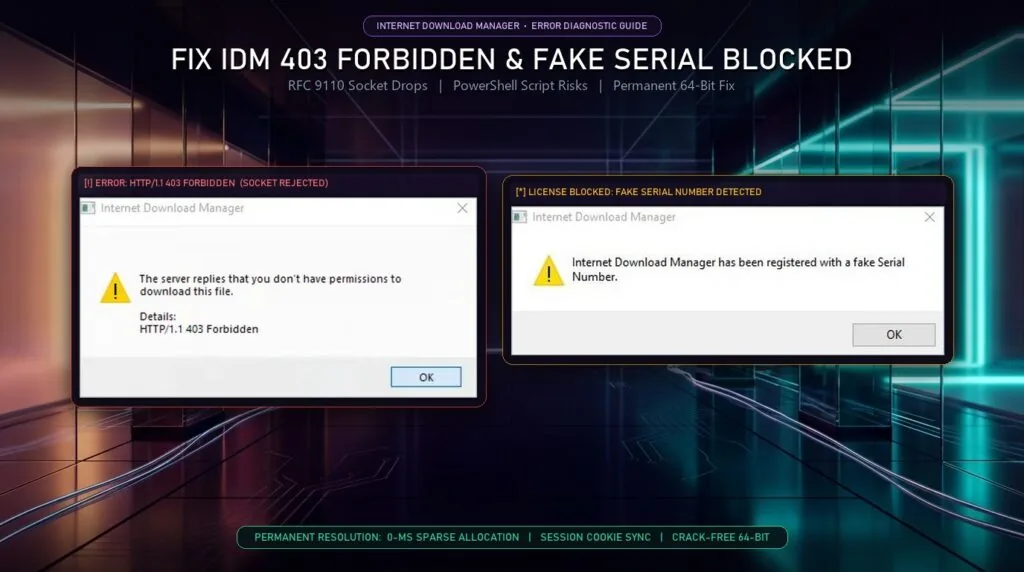
Yes. Vortex is built with a zero-telemetry privacy policy and features native post-download antivirus scanning via Windows Defender (MpCmdRun.exe) to verify all incoming files before they are opened. Unlike many cracked IDM versions circulating online that contain hidden trojans, official Vortex installers are verified and malware-free. If your downloads are interrupted by fake serial popups or server rejections, read our troubleshooting guide on how to fix IDM HTTP 403 Forbidden and fake serial blocked errors.
Q: Can Vortex completely replace qBittorrent and IDM?
Yes. Vortex is designed as a universal all-in-one workstation combining 32-stream HTTP multi-threading, full BitTorrent swarm management, 8K video sniffing, and an ad-free media player into one single, lightweight application.
Q: Does Vortex support auto-resume if my internet drops or PC reboots?
Yes. Vortex employs crash-proof byte-level state tracking. If your internet disconnects, power fails, or Windows restarts, Vortex automatically resumes from the exact downloaded byte offset without re-downloading existing chunks.
Q: Is Vortex Downloader really free?
Yes. The Vortex Basic Edition is 100% free forever with up to 3 parallel TCP connection streams, Full HD 1080p video extraction, and BitTorrent support. Upgrading to Vortex Pro unlocks up to 32 parallel turbo connection streams for gigabit line saturation.
12. Final Verdict & Recommendation
While Internet Download Manager remains an iconic piece of Windows software history, its 25-year-old architecture cannot match the demands of modern 2026 digital workflows. Capped connections, frequent 99% hangs, lack of BitTorrent support, and constant video extraction failures make IDM difficult to justify at $24.95.
🔍 Exploring More Options? If you want to see how other popular download accelerators (such as Free Download Manager, JDownloader 2, and Neat Download Manager) compare alongside IDM and Vortex, check out our newly published roundup: The 7 Best IDM Alternatives for Windows 11 in 2026 (Tested & Ranked).
Vortex Downloader represents the modern standard: faster 32-stream throughput, dynamic work-stealing, native BitTorrent swarms, 8K 60FPS video extraction, in-app streaming, and automated antivirus defense packaged in an exquisite dark mode interface.