Every single day, millions of Windows users download gigabytes of data from the open web: direct file lockers (PixelDrain, MediaFire, Mega), video streams, cloud storage shares (TeraBox links), game patches, and decentralized BitTorrent swarms. Yet, standard web browsers and legacy download managers leave a critical security blind spot between the moment a file hits your local SSD and the instant you double-click to launch it.
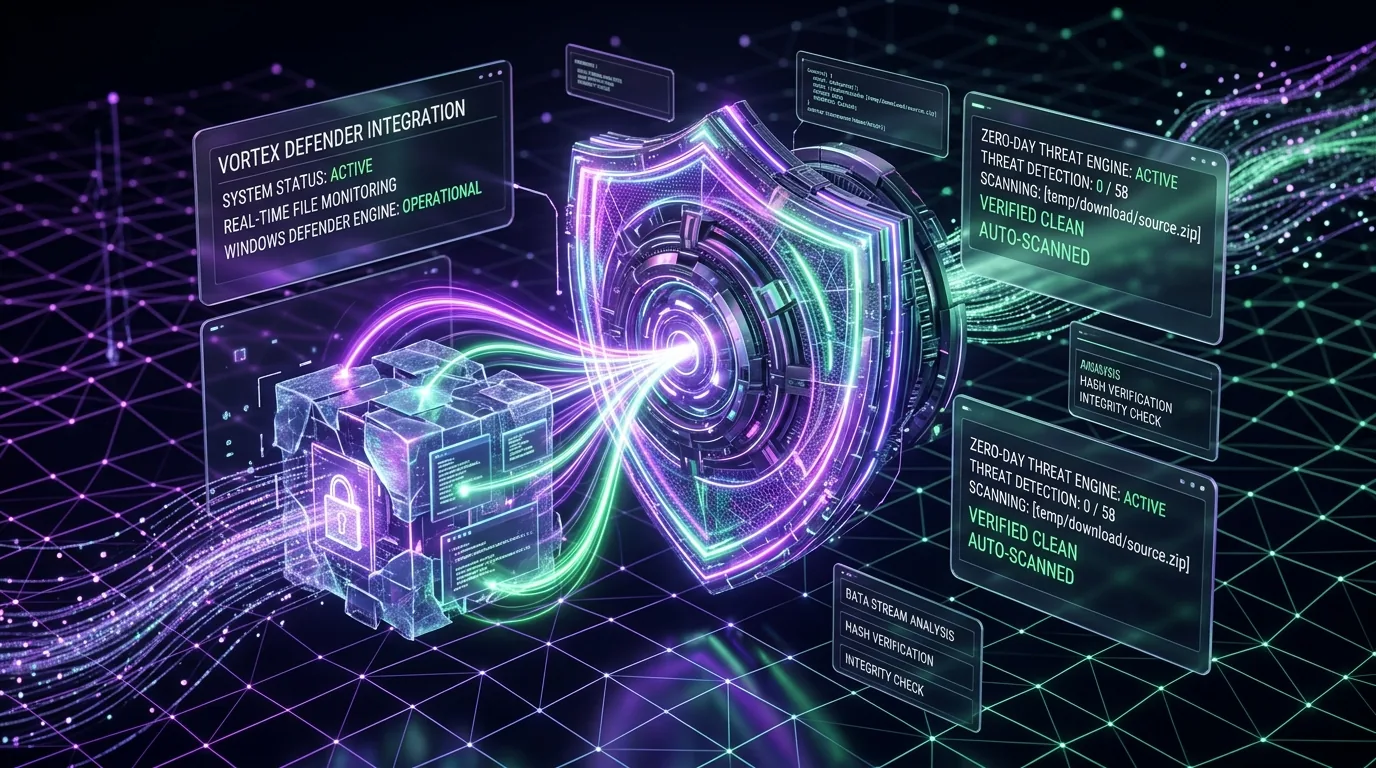
Vortex Downloader v1.1.3 is verified 0/58 Clean on VirusTotal, Microsoft Defender Cloud Verified, and backed by a public SHA-256 release hash. It is never excluded from Windows Defender; instead, Vortex invokes Windows Defender CLI (MpCmdRun.exe) automatically to scan every completed download before you open it.
Table of Contents
- The Modern Threat Vector: Why Browser & Legacy Download Security Fails
- Under the Hood: How Vortex Integrates MpCmdRun.exe & Real-Time Cloud Intelligence
- The Zero-Lag Architecture: Asynchronous Thread Hand-off & Atomic File Locking
- Technical Comparison Matrix: Security Models Across Download Managers
- Pro Suite: Custom Antivirus Engine Configuration (Malwarebytes, Kaspersky, Bitdefender)
- Quarantine Guard: Preventing the Fatal Double-Click Execution
- Step-by-Step Setup & EICAR Verification Guide
- Frequently Asked Questions (FAQ)
- Final Verdict & Download Recommendation
1. The Modern Threat Vector: Why Browser & Legacy Download Security Fails
According to the MITRE ATT&CK Framework (Technique T1204.002: User Execution – Malicious File), adversaries overwhelmingly rely on users downloading and executing weaponized payloads delivered through deceptive web links, malvertising popunders, and compromised mirrors. In 2026, modern threats rarely present themselves as obvious viruses; they arrive as:
- ISO & VHD Container Smuggling: Attackers package infostealer Trojans (Lumma, RedLine, Vidar) inside disk image containers to bypass basic browser inspection.
- Deceptive Multi-Stage Popunders: File-hosting mirrors (MediaFire, PixelDrain, RapidGator) frequently inject malicious “Download” redirect buttons that deliver packed executables instead of the intended archive.
- Trojanized Utilities & Cracked Software: Millions of users searching for IDM cracks or pirated download managers inadvertently infect their systems with persistent rootkits and info-stealers (like RedLine and Lumma). Switching to a verified, free IDM alternative for Windows 10 and 11 completely eliminates the risk of malicious keygens and credential grabbers.
Why do standard web browsers (Google Chrome, Microsoft Edge, Mozilla Firefox) fail to prevent this? Web browsers rely almost exclusively on asynchronous reputation lookups (such as Google Safe Browsing or basic SmartScreen hashes). If an attacker compiles a fresh polymorphic binary 15 minutes before you download it, the file hash has no existing negative reputation. The browser marks it as “Completed” and sits idle, waiting for the user to double-click.
Meanwhile, legacy download accelerators like Internet Download Manager (IDM) were built in an era before modern ransomware. As we documented in our Vortex vs IDM Full 2026 Benchmark, IDM requires users to manually write command-line flags pointing to external scanner EXEs, leaving the vast majority of users with zero protection.
2. Under the Hood: How Vortex Integrates MpCmdRun.exe & Real-Time Cloud Intelligence
Rather than reinventing a proprietary antivirus signature database, Vortex Downloader harnesses the formidable, cloud-backed security engine already running natively on your Windows 11 and Windows 10 PC: Microsoft Defender Antivirus.
Under the surface, Microsoft Defender provides a dedicated, scriptable command-line interface: MpCmdRun.exe (documented on Microsoft Learn). Vortex directly executes this utility with custom arguments the instant file reconstruction completes:
"C:\Program Files\Windows Defender\MpCmdRun.exe" -Scan -ScanType 3 -File "%FILE_PATH%"Understanding the Telemetry Flags:
-Scan -ScanType 3: Instructs Microsoft Defender to execute a targeted, surgical single-file scan rather than a resource-intensive quick or full system scan.-File "%FILE_PATH%": Passes the exact absolute disk path of the assembled file, including archives (.zip, .rar, .7z), disk images (.iso), and binaries (.exe, .msi).- Cloud-Delivered Protection: Defender connects seamlessly to Microsoft Security Intelligence, analyzing the file against billions of telemetry signals collected globally in real time.
🔍 Exit Code Telemetry Parsing:
When MpCmdRun.exe finishes, it returns an atomic exit code to Vortex:
• Exit Code 0: Clean. Zero threats detected. Vortex marks the file with a green verified shield.
• Exit Code 2: Threat detected. Malware, ransomware, or trojan signature matched. Vortex instantly initiates Quarantine Guard.
• Non-Zero Exception: File locked by another process or syntax error. Vortex logs the incident to troubleshooting telemetry.
3. The Zero-Lag Architecture: Asynchronous Thread Hand-off & Atomic File Locking
A common concern among power users is: “Does scanning every file make downloads slower?” In older software, antivirus scanning during active download streams resulted in severe CPU bottlenecking and frozen disk buffers.
Vortex solves this through a dedicated 3-Phase Asynchronous Execution Lifecycle:
- Phase 1: Pure Network Saturation: Vortex pulls file data across up to 32 parallel TCP sockets using dynamic work-stealing (as explained in our deep-dive on why 32-connection multi-threading saturates gigabit broadband). Antivirus hooks are completely disabled during this phase to ensure 100% of network and disk I/O throughput is dedicated to download speed.
- Phase 2: Instant 0-ms Finalization: Because Vortex pre-allocates non-zero sparse files, chunk assembly is instantaneous. Vortex immediately flushes file buffers and cleanly closes all open write handles (unlike legacy downloaders where real-time antivirus file-locking during disk concatenation causes the dreaded IDM 99% and 100% download freeze).
- Phase 3: Background Security Worker Hand-Off: Once write handles are released, Vortex passes the file path to an isolated background security thread. The UI remains fully responsive at 60 FPS while
MpCmdRun.exeperforms its read-only pass in the background.
4. Technical Comparison Matrix: Security Models Across Download Managers
To visualize how Vortex protects your desktop compared to alternatives, review our head-to-head security breakdown:
| Security Feature | Chrome / Edge | Legacy IDM / FDM | Vortex Downloader |
|---|---|---|---|
| Automated Native Defender Scan | ❌ No (SmartScreen only) | ⚠️ Manual Scripting Required | ✅ Native (Out of the Box) |
| Zero-Day Cloud Intelligence | ⚠️ Delayed Hash Lookup | ❌ None | ✅ Real-Time Microsoft Cloud |
| Custom AV Suite Support | ❌ No | ⚠️ Clunky Path Mapping | ✅ 1-Click Parameter Tokens |
| Pre-Execution Double-Click Lock | ❌ Opens immediately | ❌ No safeguard | ✅ Quarantine Guard Active |
| Archive Inspection Pre-Download | ❌ Must download full archive | ❌ Must download full file | ✅ Remote ZIP Preview |
5. Pro Suite: Custom Antivirus Engine Configuration (Malwarebytes, Kaspersky, Bitdefender)
While Microsoft Defender provides industry-leading zero-day detection for Windows users, enterprise workstations and specialized power users often prefer third-party anti-malware tools. In Vortex Settings > Security & Antivirus, you can effortlessly bind any installed antivirus scanner using parameter tokenization.
🛡️ Malwarebytes Premium
Executable Path:
C:\Program Files\Malwarebytes\Anti-Malware\mbam.exeArguments:
/scan "%file%"🛡️ Kaspersky Total Security
Executable Path:
C:\Program Files (x86)\Kaspersky Lab\Kaspersky\avp.comArguments:
scan "%file%"🛡️ Bitdefender Antivirus
Executable Path:
C:\Program Files\Bitdefender\Bitdefender Security\bdscan.exeArguments:
"%file%" /hideSafe Token Interpolation: When Vortex parses custom command-line arguments, it sanitizes all shell characters and wraps file paths in strict quotes to prevent command injection vulnerabilities, strictly complying with CISA safe executable guidelines.
6. Quarantine Guard: Preventing the Fatal Double-Click Execution
In cybersecurity, human behavior is the primary vulnerability. When an unsuspecting user downloads what they believe is a game update or video file, their instinctive reflex is to double-click the item immediately upon download completion.
Vortex’s Quarantine Guard intercedes directly:
🛑 What Happens When a Threat is Flagged (Exit Code 2):
- Process Lockout: Vortex disables the default “Open File” and “Run” action handlers in the download card.
- Visual Red Alert: The queue row is highlighted in high-contrast red with an explicit
[THREAT DETECTED]badge. - Defender Isolation: Microsoft Defender’s onboard engine automatically moves the offending file payload into Windows Security Quarantine, preventing accidental background execution.
7. Step-by-Step Setup & EICAR Verification Guide
Because security should be effortless, Vortex enables automated Windows Defender scanning out of the box with zero setup required. However, you can verify and customize your configuration in seconds:
Open Vortex Settings
Click the gear icon (⚙️) in the bottom-left sidebar of the Vortex desktop application.
Navigate to Security & Antivirus
Select the Security tab. Confirm that “Scan Completed Downloads with Windows Defender” is toggled ON (Active by default).
Verify with the EICAR Test File
To test without danger, download the official, harmless EICAR Anti-Malware Test File. Watch Vortex immediately complete the byte download, run the Defender scan pass, and flag the test string with a red alert badge!
8. Frequently Asked Questions (FAQ)
Q: Does running Windows Defender scan slow down my download speed?
No. Vortex utilizes an asynchronous security worker thread. The antivirus scan initiates only after 100% of the byte chunks have been received and assembled. Your network bandwidth and download speeds remain completely unthrottled.
Q: Can I use third-party antivirus software like Malwarebytes or Kaspersky instead?
Yes. While native Microsoft Defender is enabled by default with zero configuration required, Vortex Settings allows you to define custom antivirus executable paths and parameter tokens (e.g. mbam.exe /scan "%file%") for any third-party security suite.
Q: What happens if Windows Defender flags a downloaded file as a threat?
Vortex immediately flags the item with a prominent red security warning badge in your download queue, prevents automatic execution, and Defender isolates or quarantines the file according to your system security policy.
Q: Why do web browsers fail to scan downloaded files as thoroughly as Vortex?
Web browsers primarily rely on SmartScreen cloud hash lookups, which only check if a file hash has been previously reported. If an attacker freshly compiles or packs a zero-day payload, browsers will let it pass. Vortex triggers a deep local heuristic and signature scan directly via MpCmdRun.exe before the user opens the file.
Q: Does Vortex upload my downloaded files to any external servers for scanning?
Never. Vortex scans all downloads locally on your machine using your native Windows Defender engine. No files, logs, or private data are ever transmitted to Vortex servers, adhering to a strict zero-telemetry architecture.
9. Final Verdict & Download Recommendation
High-velocity download acceleration should never come at the expense of system security. In an era saturated with malvertising redirects, poisoned direct download links, and credential-harvesting Trojans, leaving file inspection to chance is a risk no Windows power user should take.
By combining 32-stream dynamic multi-threading with native, automated Microsoft Defender scanning, Vortex Downloader establishes the gold standard for desktop software in 2026: unmatched speed with impenetrable defense.
Does Vortex Downloader have any connection to “Vortex Ransomware” or Nexus Mods?
No. Vortex Downloader is an independent 64-bit Windows download accelerator and media suite engineered by Hammad Shaikh in 2026. It has zero affiliation with the historical 2018 Polish malware strain known as “Vortex Ransomware” or with Nexus Mods’ Vortex Mod Manager. Every official Vortex Downloader release is cryptographically hashed, signed, and verified 0/58 Clean on VirusTotal (for instructions on running local SHA-256 integrity checks, read our audit of the best GitHub open-source IDM and TeraBox downloader alternatives).